October 29th, 2025
In case you missed it: Automated exits for Omni Assist are live
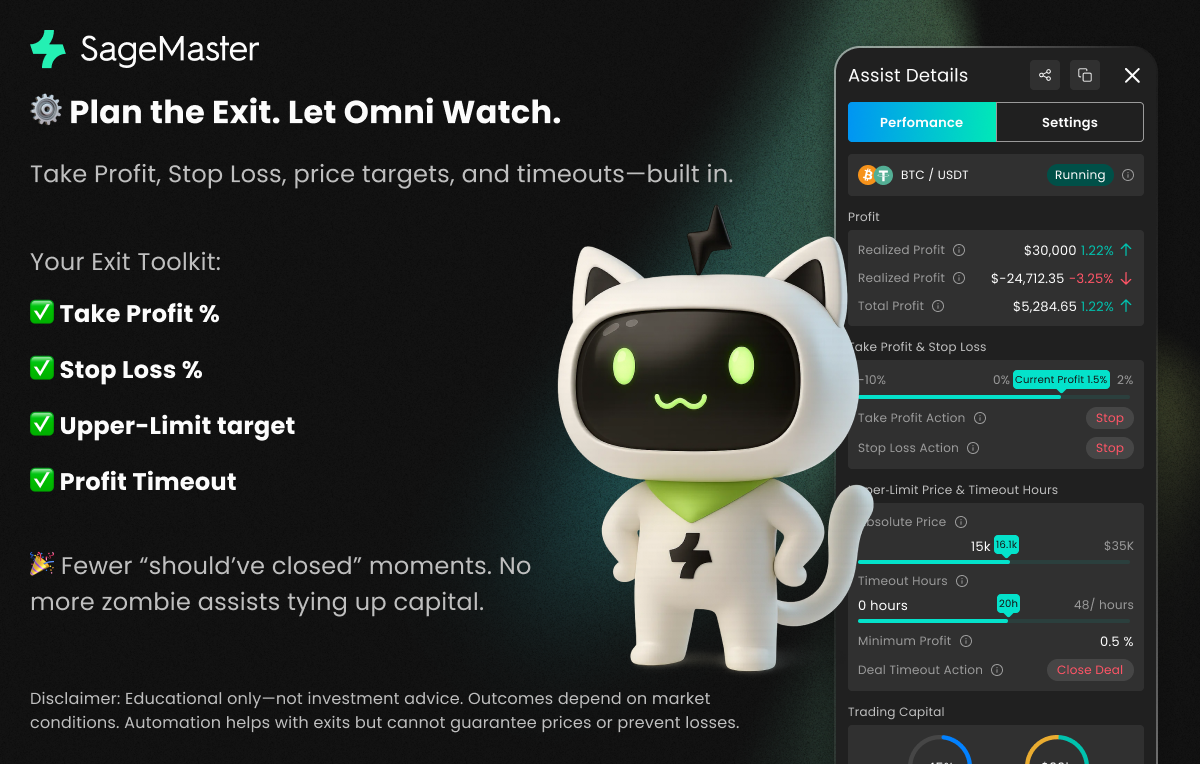
We shipped this quietly a little while ago, but many of you told us you hadn’t seen it yet. Good news: Omni Assist now supports automated exits so you can set the plan once and let automation do the watching.
What you get
Take Profit by percentage — help capture gains when your Total Profit % hits a target
Stop Loss by percentage — limit drawdowns at a level you choose
Upper-Limit price target — exit at a specific market price that matches your thesis
Profit Timeout — after your chosen hours, close on the first non-negative tick or above a minimum profit
Why traders love it
Fewer “I should’ve closed” moments
Clear risk-to-reward without babysitting charts
No more zombie assists tying up capital
Get started in 30 seconds
Open any Omni Assist → Exit Controls
Set Stop Loss 10% and Take Profit 8%, Action Sell
Turn on Profit Timeout 48 h, Min Profit 0%, Action Sell
Save and you’re protected with a calm, disciplined plan
Tip: Use positive numbers for SL/TP. “Sell” fully exits to quote; “Stop” cancels orders but keeps assets as-is for manual management.
Learn more
Want details, examples, and edge-case behavior? Read the new User Guide from the Help Center.
Disclosure: Educational only, not investment advice. Outcomes vary with market conditions. Automation can assist with exits but doesn’t eliminate risk; execution depends on liquidity, spreads, fees, and exchange latency.