June 3rd, 2024
Release Notes - SageMaster (SFX) Update, June 2024
We're excited to introduce a significant new feature in this update of SageMaster SFX - "Drawdown Limit".
A drawdown limit is a risk management tool in trading. It sets a maximum threshold for account balance decrease before trading is suspended. This limit, calculated based on total profit from closed trades within a selected calendar period, reflects the trader's risk tolerance. It helps traders manage risk and prevent losses. For instance, if you have an account balance of $10,000 and set a drawdown limit of 5%, trading would halt if losses exceed $500 within the set period (day, week, month).
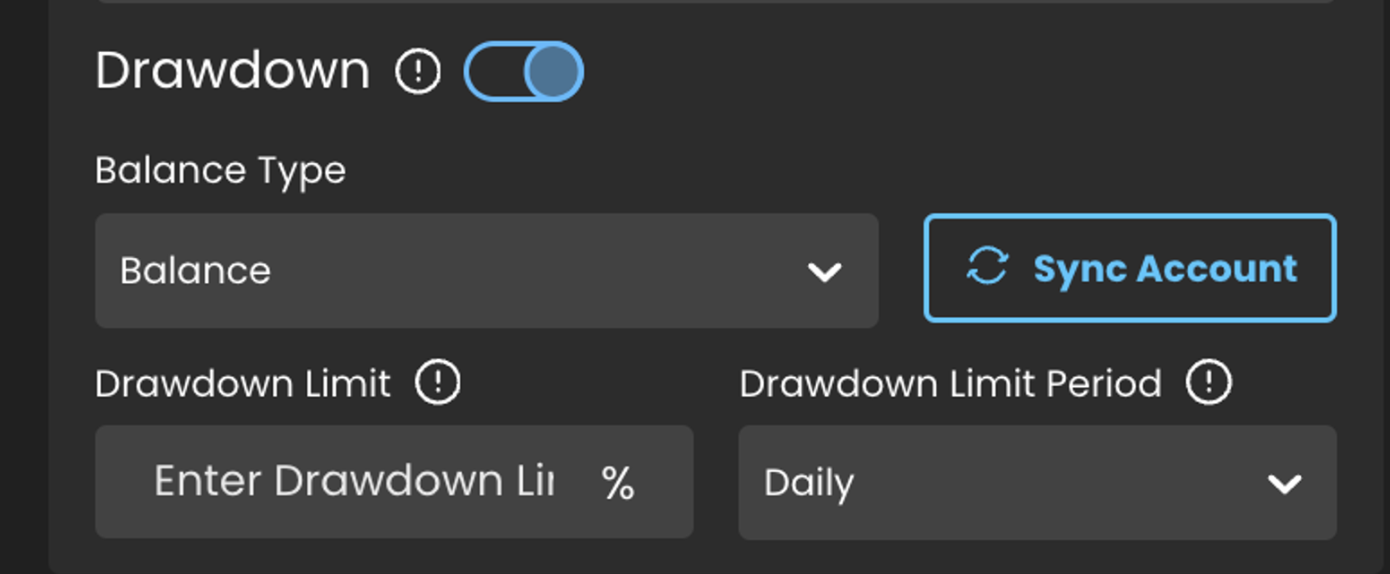
You can set a drawdown limit in the Money Management section of the Smart Assist Settings. The limit is defined as a percentage of your broker account balance. If you're using any money management type except Fixed Lot, the balance type used for the drawdown limit mirrors that in the Calculate Lot Size and Drawdown Based On field. For Fixed Lot Size usage, an additional balance type selector is provided.
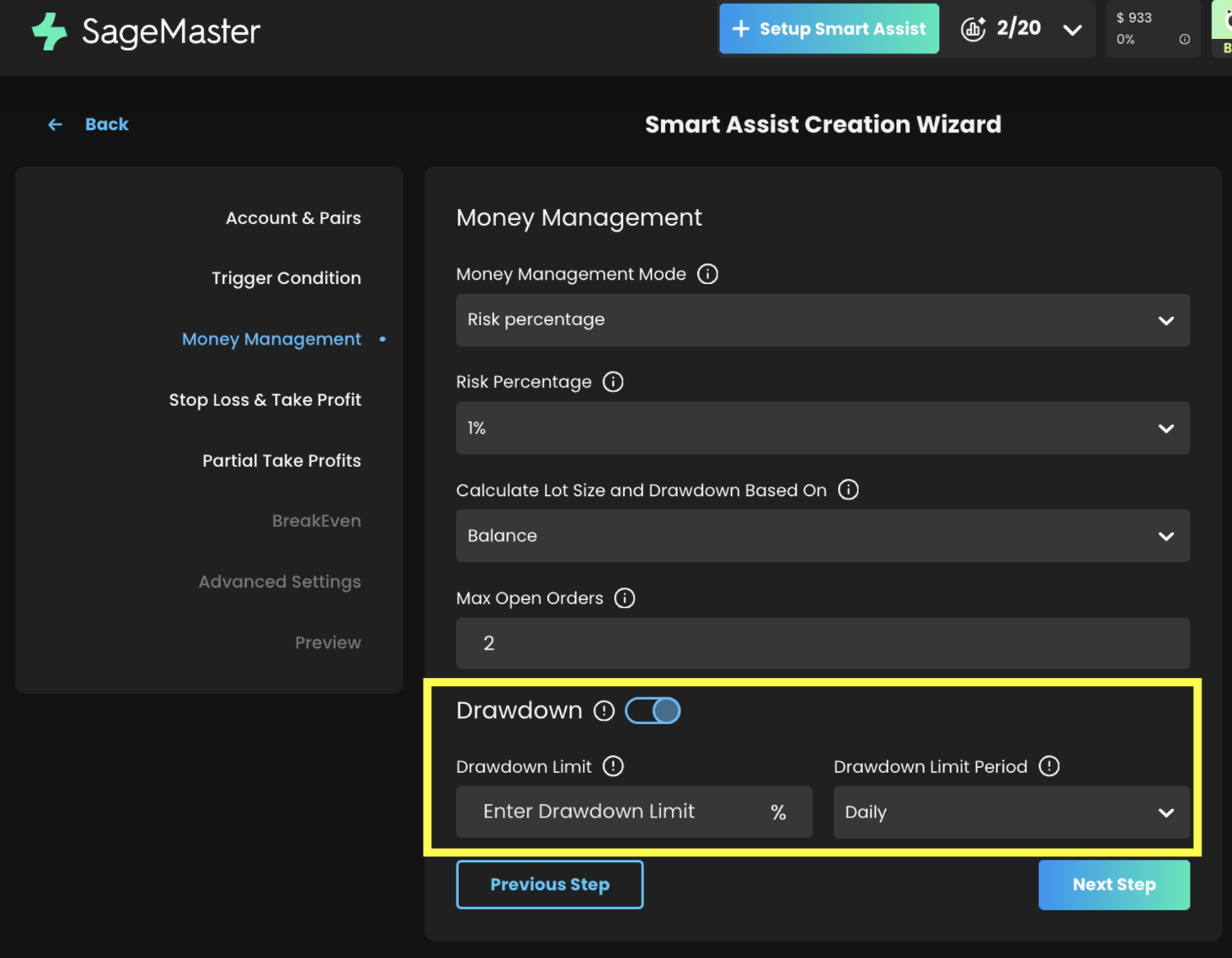
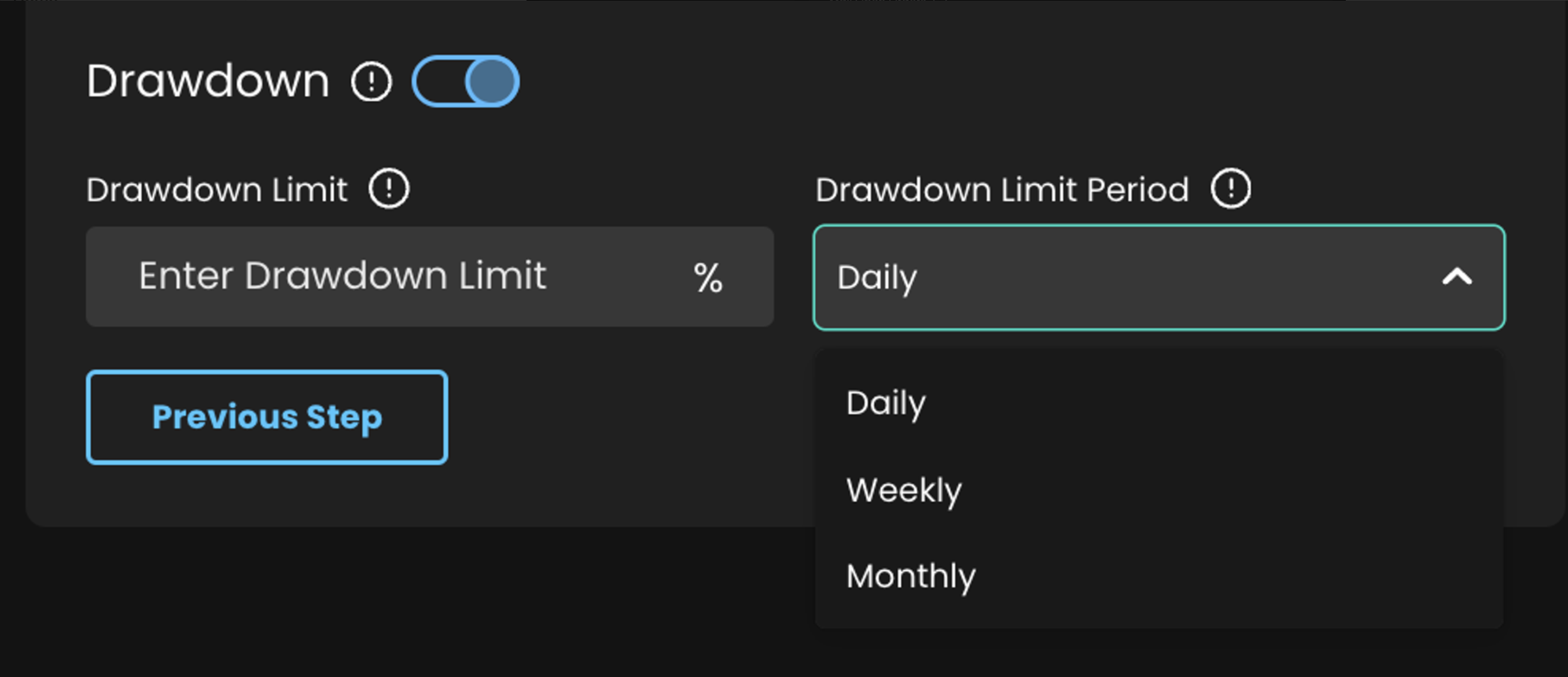
Drawdown Limit Period: Along with defining the drawdown limit, you can also choose its applicable period - daily, weekly, or monthly. Once the drawdown limit is reached, Smart Assist will stop accepting new signals until the period ends. Please note that the period is set as a calendar period.
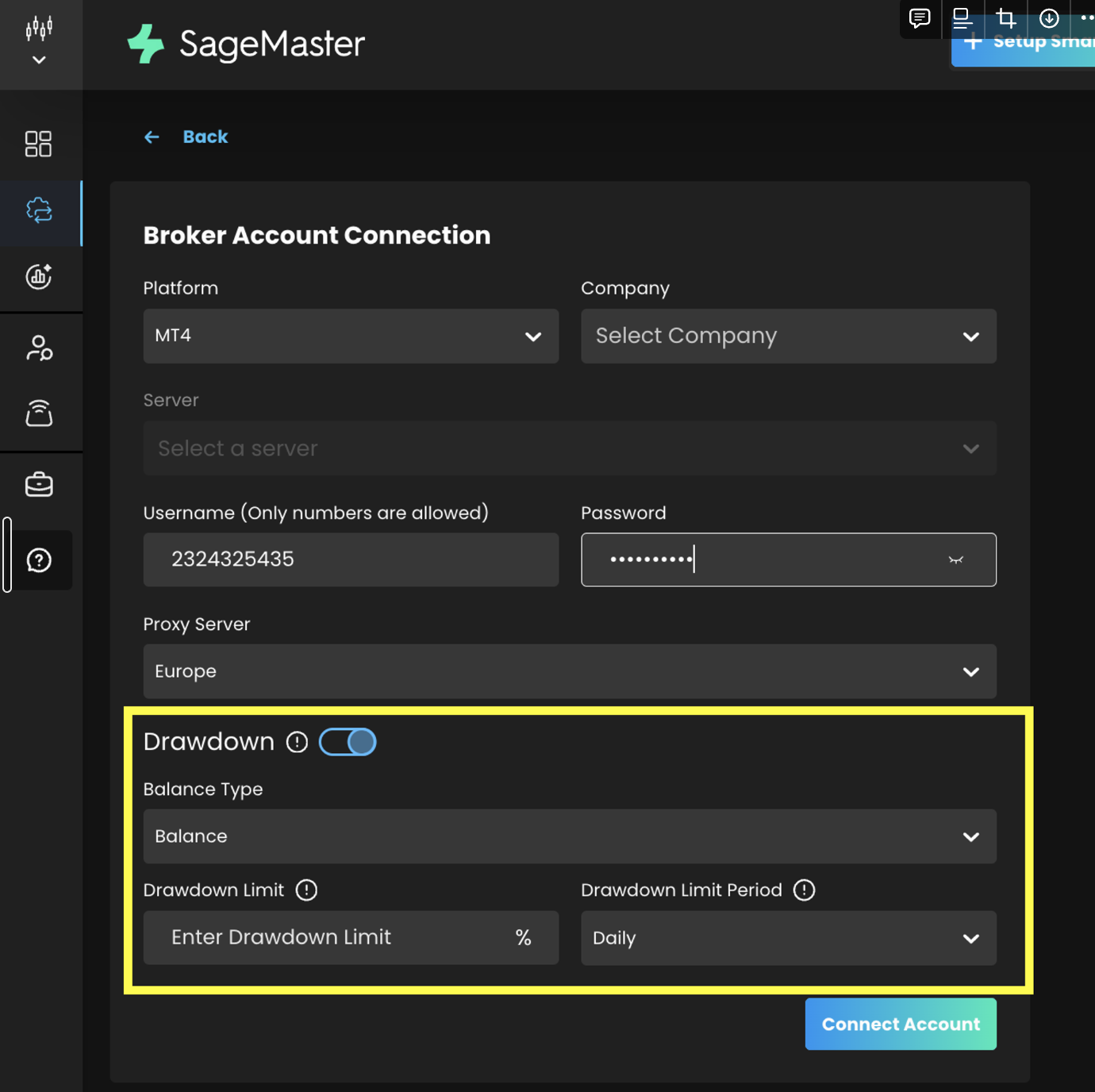
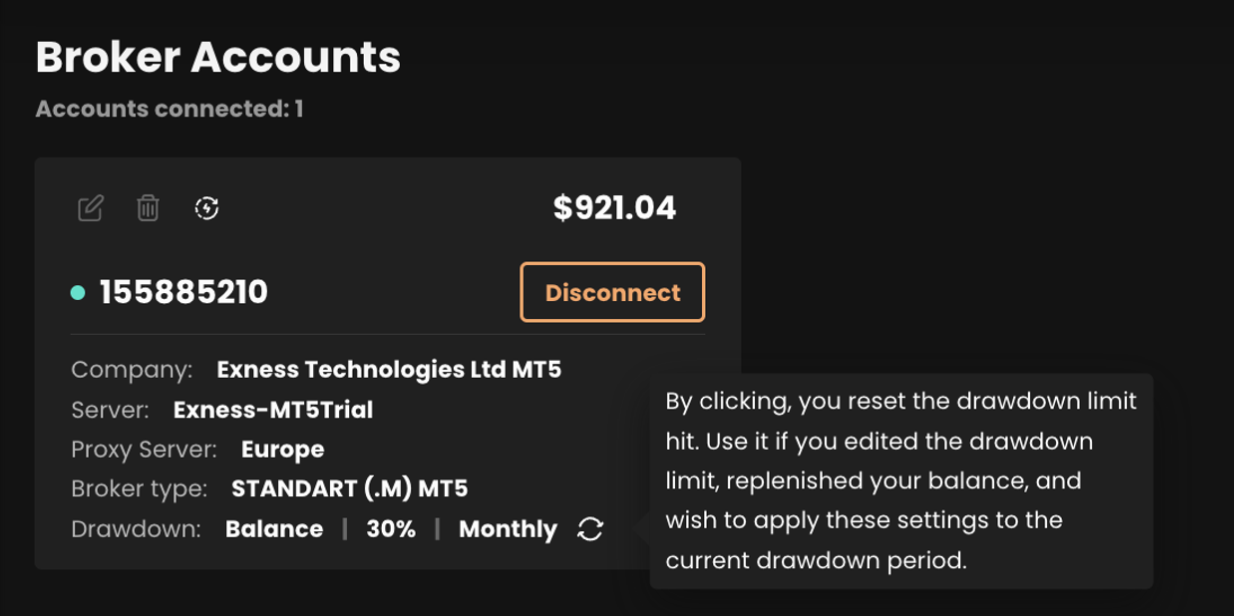
Drawdown Limit for Broker Account: Apart from setting a drawdown limit for Smart Assist, you can also establish one for a specific broker account, either during account connection or by editing an already connected account.
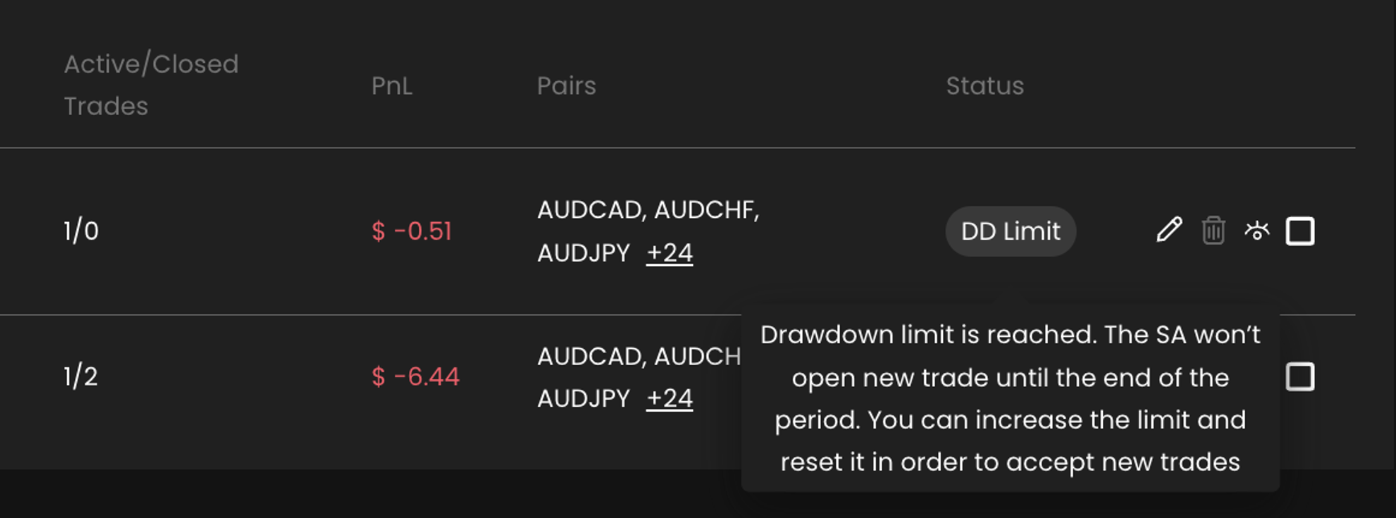
Drawdown Limit Hit: To understand when the drawdown limit is hit, an event log will be generated when your Smart Assist receives a new signal. The log will state the types of drawdown limit, allowed and current loss, and until when the smart assist will not accept and execute new signals.
DD Limit Status: If your Smart Assist hits a drawdown limit, its status will change to "DD Limit". If the broker account drawdown limit is reached, an indicator will be displayed on the broker account card and on the Smart Assist details page.

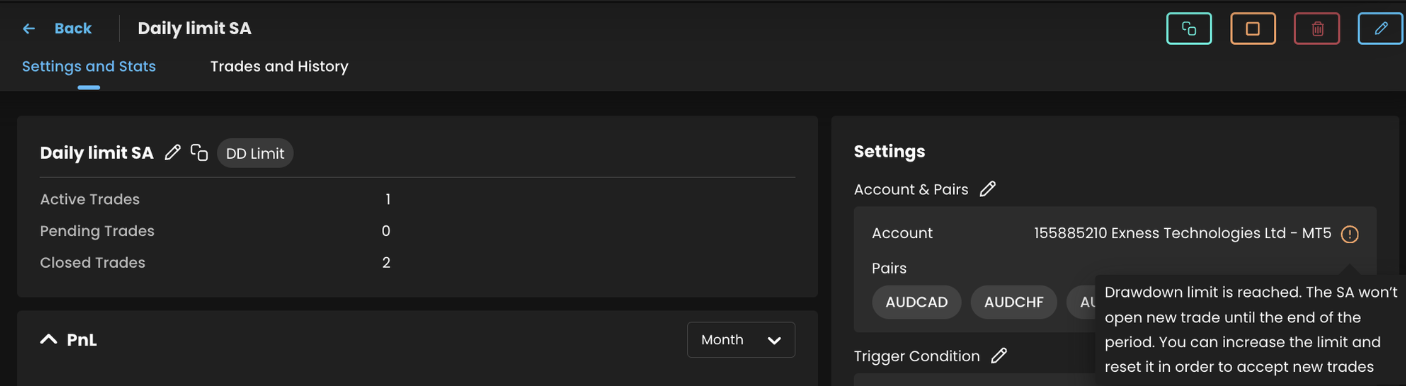
Sync Account Functionality: A new Sync Account feature allows you to update drawdown limit values, add funds to your account, change the drawdown limit period, or disable the drawdown limit within the drawdown limit period. While it's possible to set a drawdown limit for both Smart Assist and the broker account, we advise against setting a higher limit for Smart Assist than for the broker account.
The Sync Account icon/button can be found on the Smart Assist Details page, Smart Assist Editing page, Broker Account card, and Edit Broker account card.
Follow these steps in the following scenarios:
If the drawdown limit is reached, and following that, trades are closed with profit, and you wish to resume trading before the drawdown limit period ends:
Click on the Sync Account button/icon.
Example: Suppose you set a drawdown limit of 10% on your broker account, which has a balance of $1000, for a weekly period. On Wednesday of the current week, your total profit for closed trades is -$100. You receive an event notification that the drawdown limit has been reached and your smart assistant will not create new trades until the following Monday. However, you have two open trades from Tuesday, one of which closes with a profit of $300. This brings your total profit for closed trades to $1200. By syncing your account, your smart assistant can execute new signals and calculate the drawdown based on the updated balance.
If the drawdown limit is reached and you want to increase it:
Click on the Sync Account button/icon.
Enter the new drawdown value.
Click 'Save'.
Example: Let's say your smart assist reaches the drawdown limit of 5%, and you decide to take more risks and accept new signals. You can sync your account, increase the limit to 7%, and save the changes. Now, your smart assist can accept new signals.
If the drawdown limit is reached and you want to add funds to your account:
Click on the Sync Account button/icon.
The drawdown limit will then be recalculated based on the updated balance.
Example: Let's say you have a drawdown limit of 10% on your broker account with a balance of $1000, set for a weekly period. By Wednesday of that week, your total profit for closed trades is -$100. Upon reaching the drawdown limit, you'll receive an event notification. Consequently, your smart assistant will halt the creation of new trades until the next Monday. However, if you add $500 to your broker account, raising the balance to $1400, and sync your account, your smart assistant can resume executing new signals. It will now calculate the drawdown based on the updated balance.
If the drawdown limit is reached for one period and you want to set a different drawdown limit period:
Click on the Sync Account button/icon.
Enter the new drawdown period value.
Click 'Save'.
Example: Suppose your smart assistant has reached a 15% drawdown limit for the weekly period. You decide to adjust your strategy, focusing on the monthly profit from closed trades. To do this, you can synchronize the account and set a new drawdown limit period. Once you save these changes, the assistant will base the drawdown limit on the current month's profit from closed trades, rather than the weekly profit.
If the drawdown limit is reached and you want to disable it to continue trading without it:
Click on the Sync Account button/icon.
Disable the drawdown.
Click 'Save'.
These features will help minimize your losses. Happy trading!