Account Setup Guide
Written By Ehsaan XP
Last updated 7 months ago
Creating Your SageMaster Account
Setting up your SageMaster account is a straightforward process designed to get you trading quickly while maintaining strong security measures.
Step 1: Registration
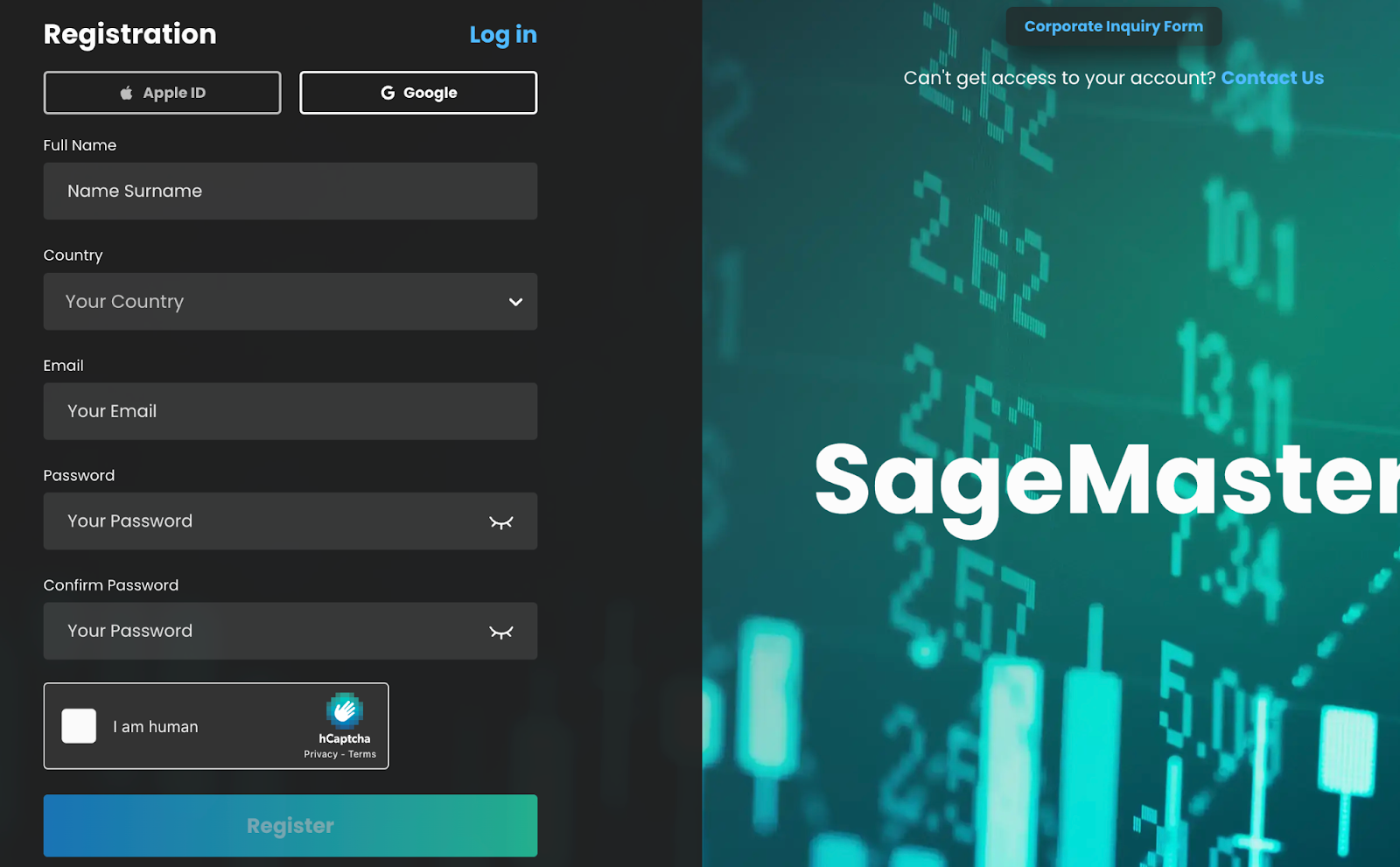
Visit sagemaster.io and click the "Sign Up" button
Enter your email address and create a secure password
Review and accept the Terms of Service and Privacy Policy
Complete the email verification process by clicking the link sent to your inbox
Step 2: Complete Your Profile
Log in to your newly created account
Navigate to the "Account Settings" section
Complete your profile information:
Personal details
Notification preferences
Time zone settings
…
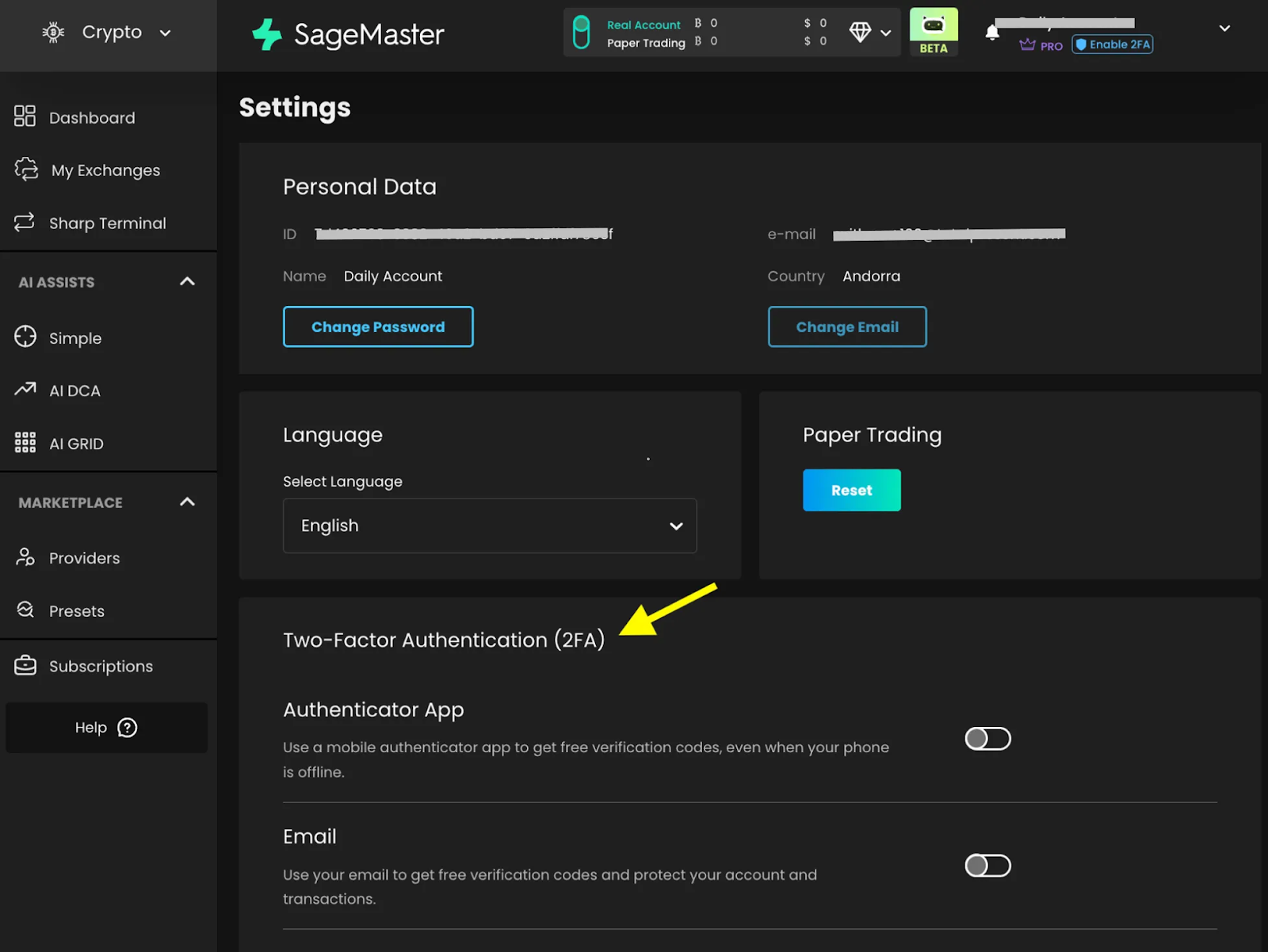
Step 3: Set Up Security Features
Strong security is essential for protecting your trading activities. We strongly recommend implementing these security measures:
Adding 2FA significantly enhances your account security:
In "Account Settings," locate the "Security" tab
Select "Enable Two-Factor Authentication"
Choose your preferred 2FA method:
Authenticator app (recommended)
SMS verification
Follow the on-screen instructions to complete setup
Store your backup codes in a secure location
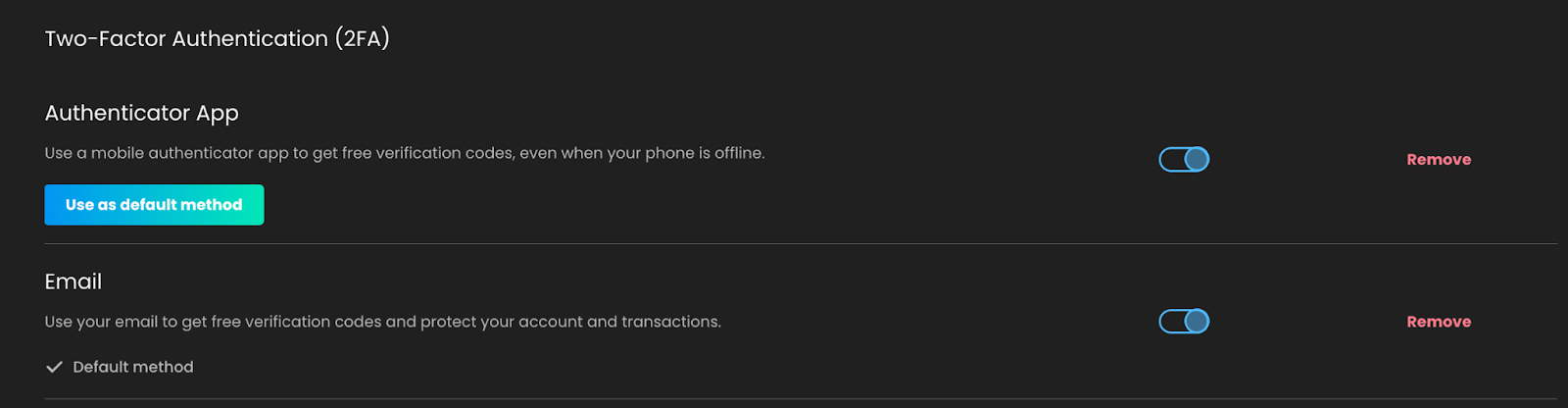
Important: Once 2FA is enabled, you'll need both your password and the authentication code to access your account. Without access to your authentication device or backup codes, account recovery can be challenging.
You can follow a step by step guide here
Navigate to the "API Keys" section under "Account Settings"
Review the API key security best practices, for example: https://www.binance.com/en/blog/security/how-to-secure-your-api-keys-on-binance-5-tips-for-protecting-your-crypto-8638066848800196896
Create descriptive labels for any API keys you generate to track their usage
Step 4: Subscription Selection
Visit the "Subscription" section
Review available subscription plans and features
Select the plan that best suits your trading volume and feature requirements
Complete the payment process through our secure payment gateway
Step 5: Configure Notifications
Stay informed about your trading activities:
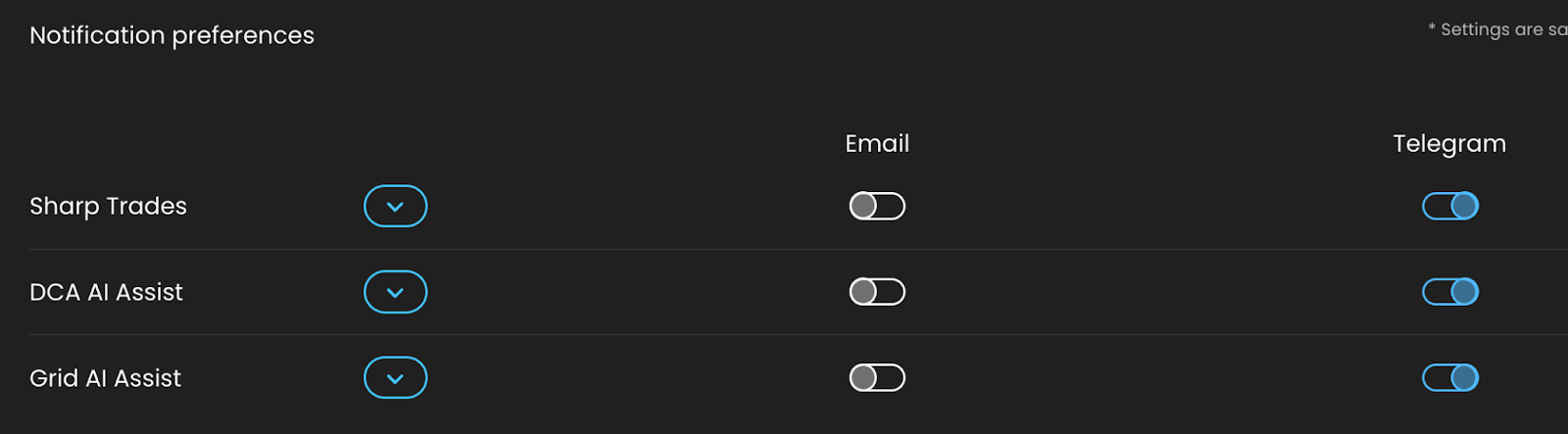
Go to "Notifications" in the account management section
Configure your notification preferences:
Email alerts
Telegram notifications (optional integration)
Troubleshooting Account Setup
If you encounter any issues during the setup process:
Check our "Common Issues and Solutions" knowledge base article. More info can be found here:
https://helpcenter.sagemaster.io/en/help/articles/6952929-common-issues-and-solutions
Clear your browser cache and cookies
Try using a different browser or device
Contact support through the help desk with specific error details. Our dedicated support team is available to assist with any technical questions - support@sagemaster.io
Your account is now ready for the next step: connecting your preferred cryptocurrency exchange to begin trading with SageMaster's algorithmic tools.
Disclaimer: Trading involves significant financial risk and can result in substantial losses. Past performance does not guarantee future results. SageMaster does not provide financial advice. Users should ensure compliance with local regulations.