How To Connect Bitfinex Exchange
Disclaimer: Trading involves significant financial risk and can result in substantial losses. Past performance does not guarantee future results. SageMaster does not provide financial advice. Users should ensure compliance with local regulations.
Written By Ehsaan XP
Last updated 7 months ago
Prerequisites
Before you begin, ensure that you have the following prerequisites:
You’ve got a SageMaster account
You have a Bitfinex account
Connect Your Exchange
Creating a New API Key in Bitfinex
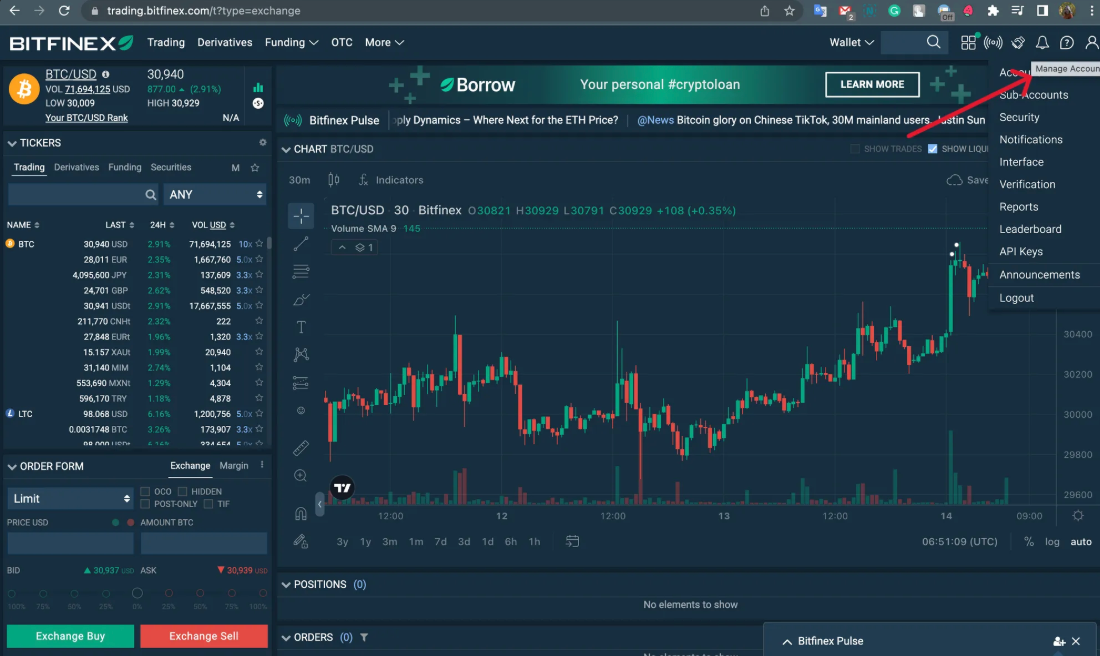
Log in to your Bitfinex account and click Manage Account
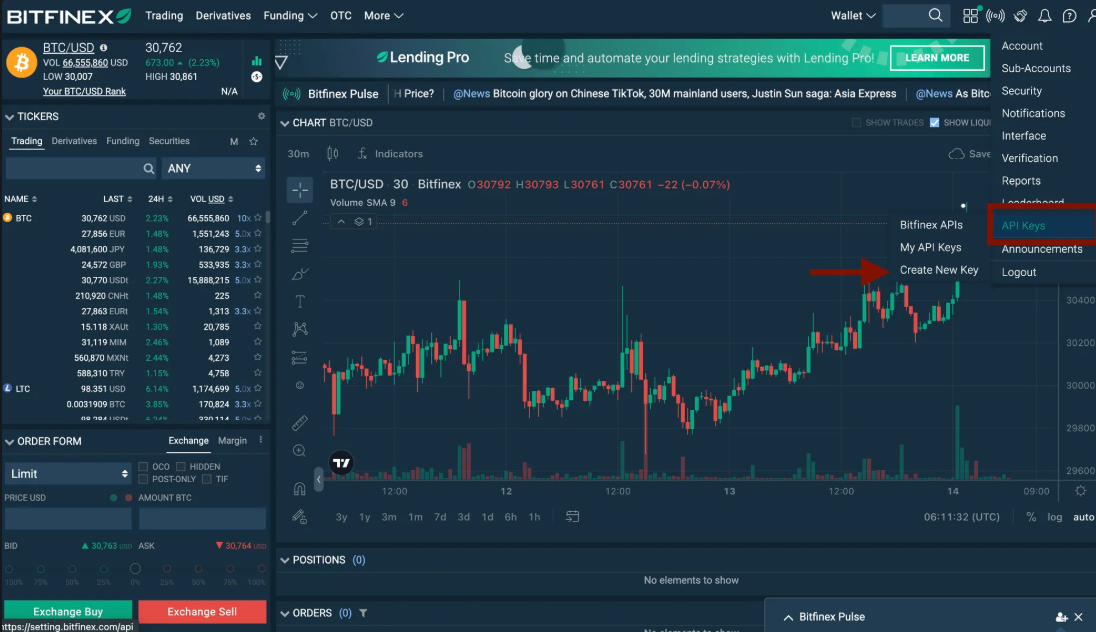
Proceed to API Keys and click Create New Key
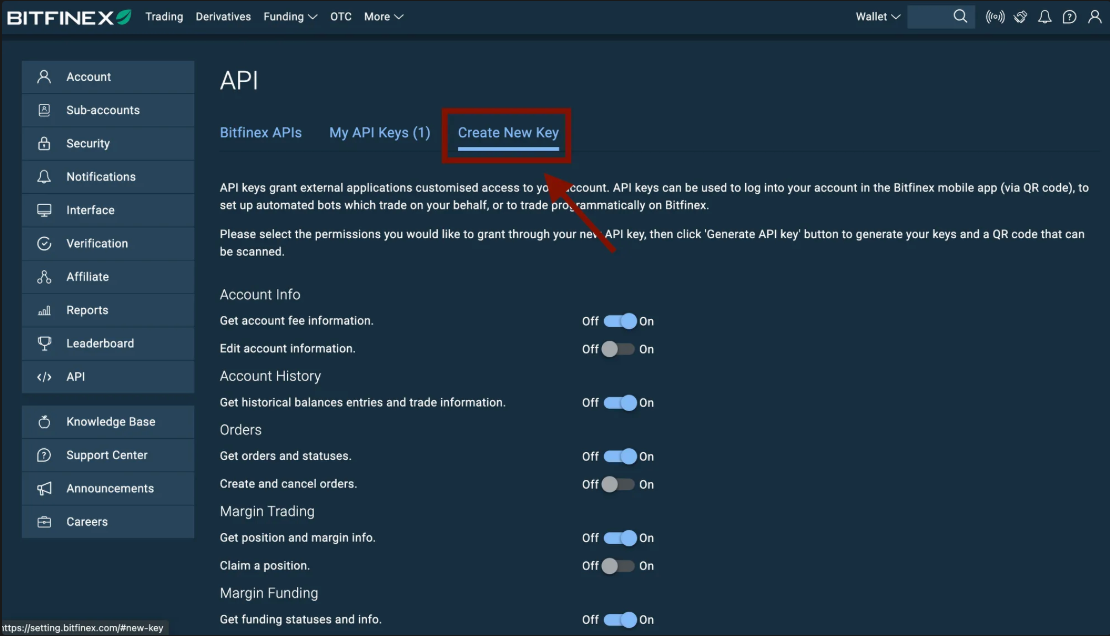
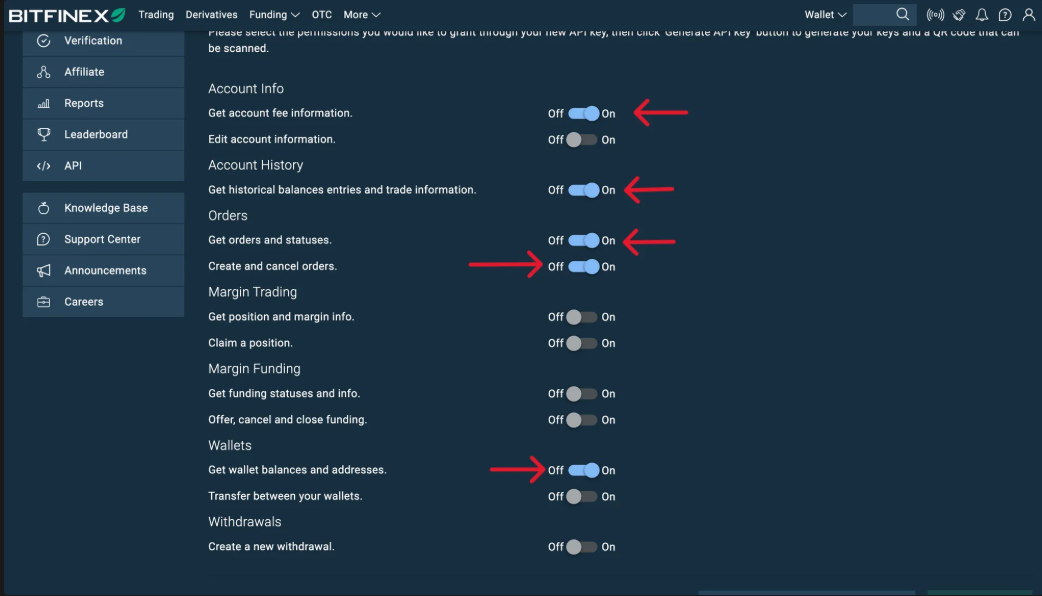
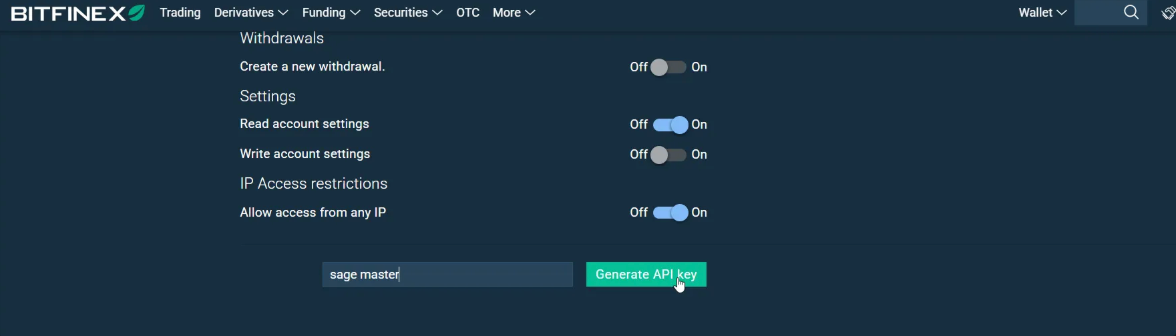
Set the permissions as shown below and turn the rest “off”. (See image below):
Set the permissions on for the following:
Get account fee information
Get historical balances entries and trade information
Get orders and statuses
Create and Cancel orders
Get wallet balances and addresses
Enter a label for the API key (for example “SageMaster”) and click on Generate API Key.
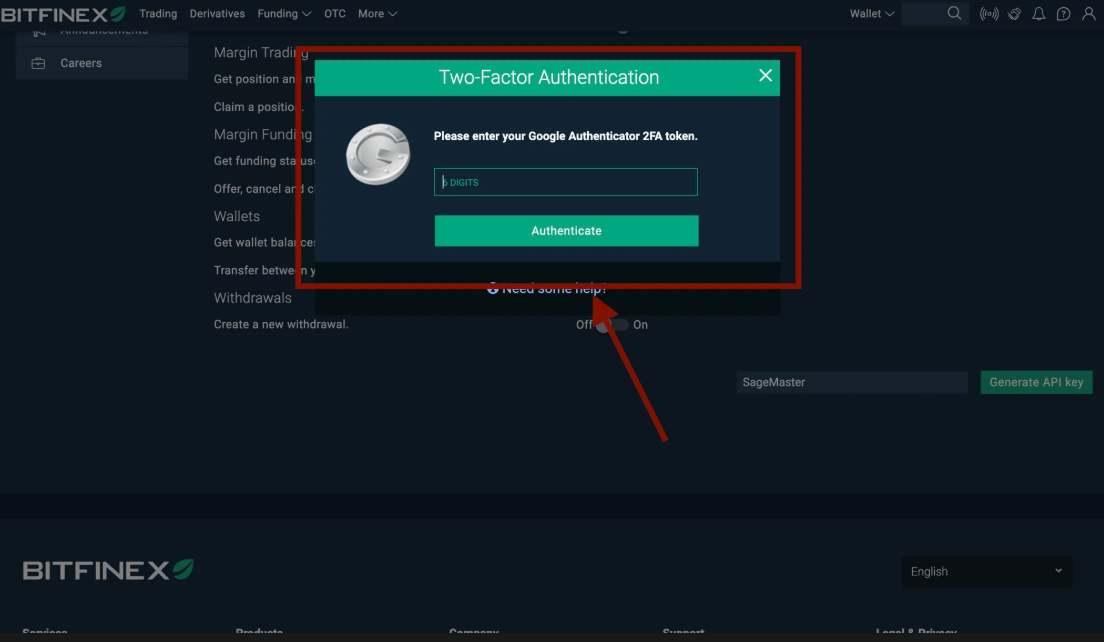
Complete your 2FA for verification.
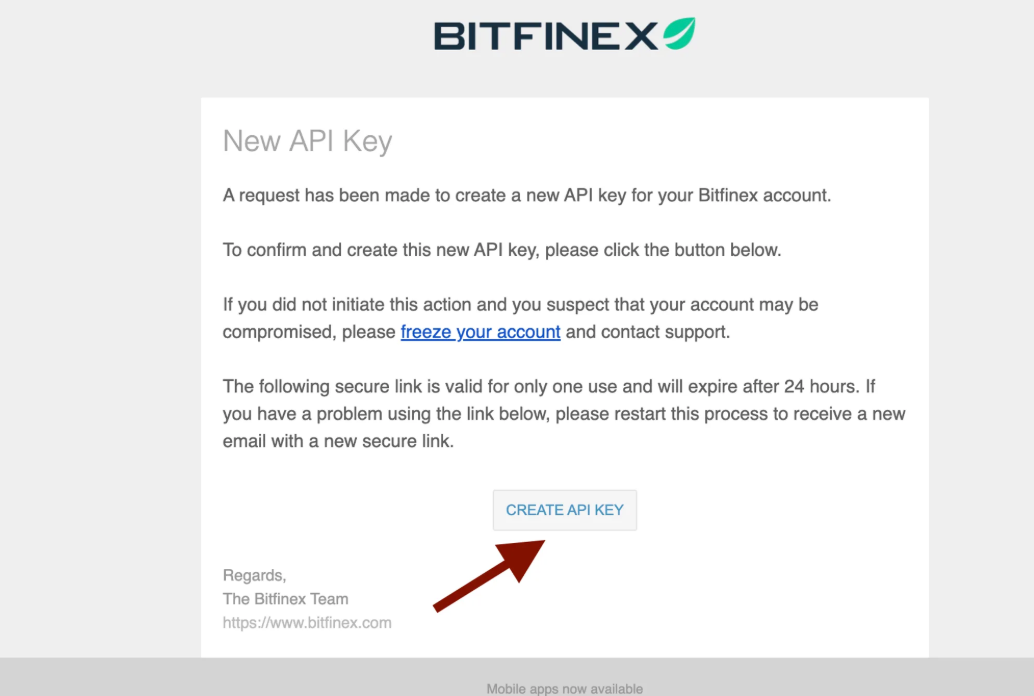
Check your email and click on “CREATE API KEY”
Your new API key and API Key secret will be displayed on the screen.
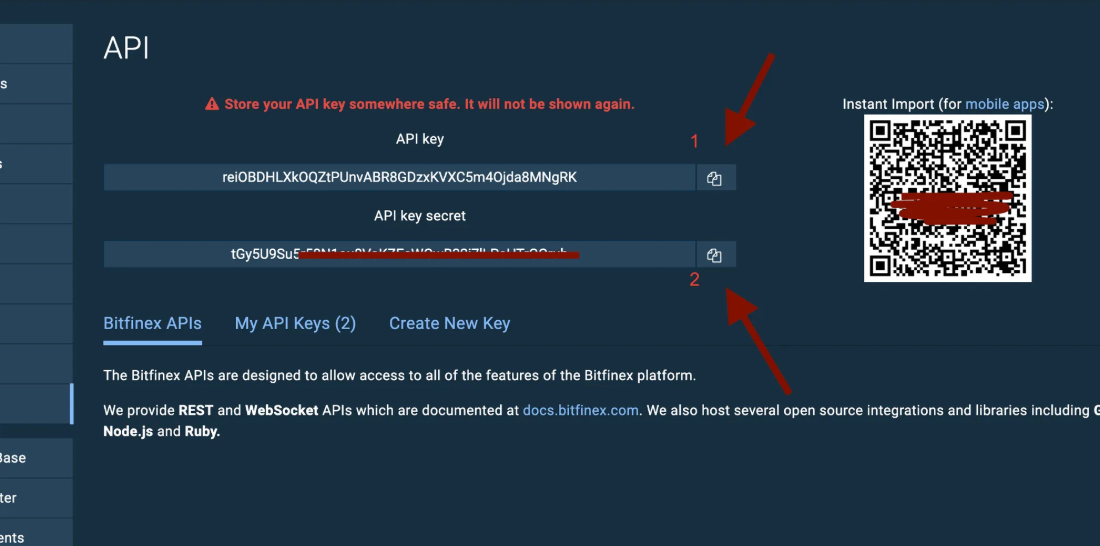
You can connect your Bitfinex exchange to SageMaster
Now go to your Sagemaster account and click “My Exchanges” in My settings section or in the Side menu
Select the “Connect Exchange” tab, choose Bitfinex, and paste the private and public keys from Bitfinex into the fields provided.
Click “Authorize API Connection” to finish connecting your Sagemaster account with Bitfinex.
What’s Next
After connecting your accounts, you should make sure that your Bitfinex account is funded with the right currency.