How to Handle Stopped DCA Assists
Written By Ehsaan XP
Last updated 4 months ago
If your DCA Assist was stopped, please review the information below to understand your current state and next steps.
ℹ️ Even if the order appears as cancelled in SGM, the limit order may still be open on the exchange.
In this case, the Disconnected is disconnected but still running on the exchange.
/
Step 1: Check the order status on the exchange
Open your exchange account or the Sharp Terminal and check whether the limit order is still open.
Step 2: Choose the scenario that applies to you
Scenario 1: The limit order is still open on the exchange
No action is required
The user was not affected
The order will continue running normally on the exchange
Scenario 2: There is no limit order on your exchange, just assets in your balance
You have two options:
Option A: Keep managing the trade manually
Sell the asset when you want
No tracking in SGM is required
Option B: Resume tracking the trade in SGM
You can reconnect the trade to SGM by adding it again via the Sharp Terminal.
⚠️ Important: Trailing behavior
Before resuming tracking, please review your Trailing setting:
If Trailing Up was enabled
→ No limit order was opened
→ No additional action is required
If Trailing Up was NOT enabled
→ A limit order was opened
→ You should resume tracking in SGM
🧭 How to Resume Tracking in SGM via Sharp Terminal
Follow these steps to correctly re-add the trade for tracking:
Open the Sharp Terminal
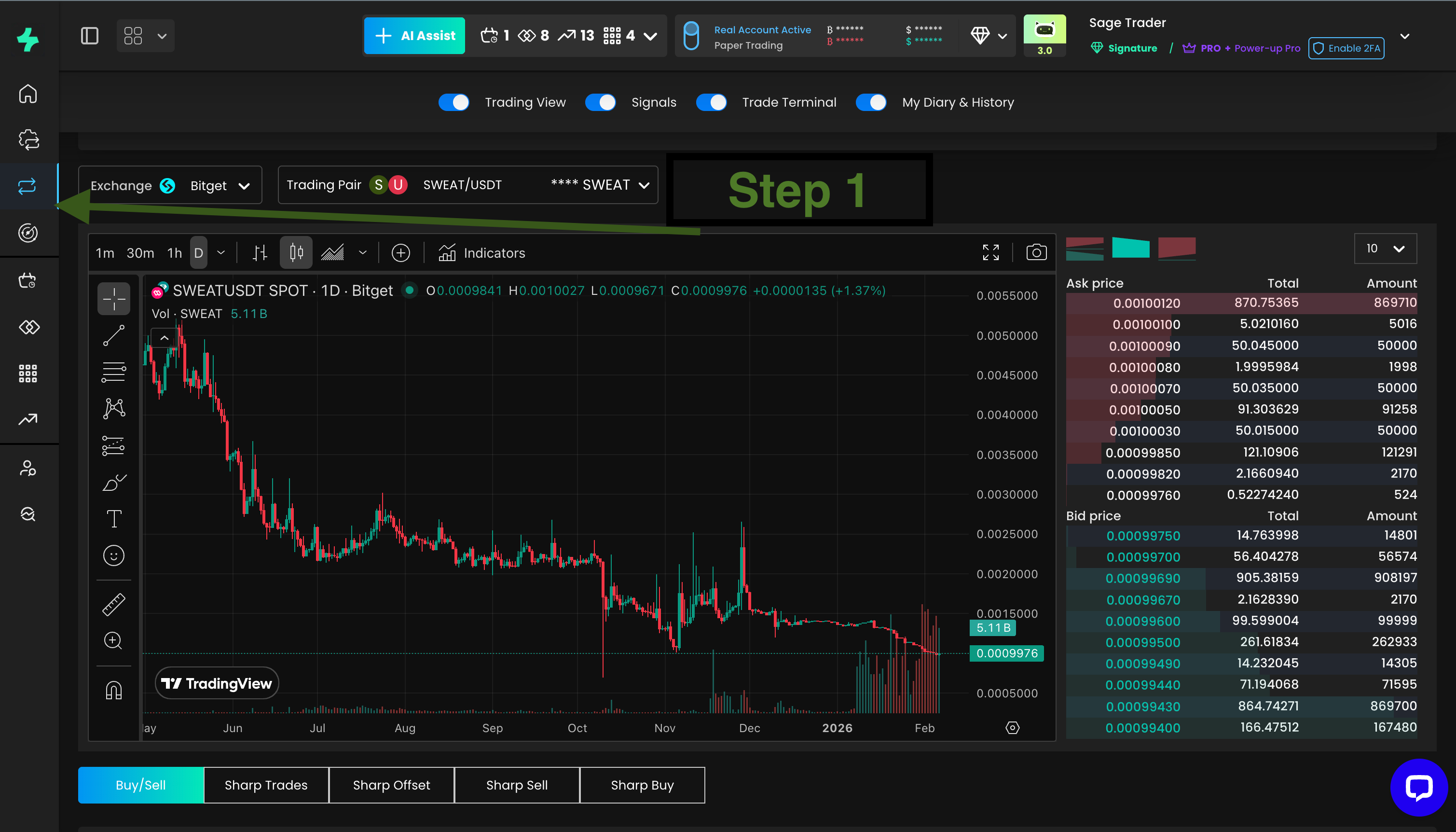
Go to the Exchange section and select the pair
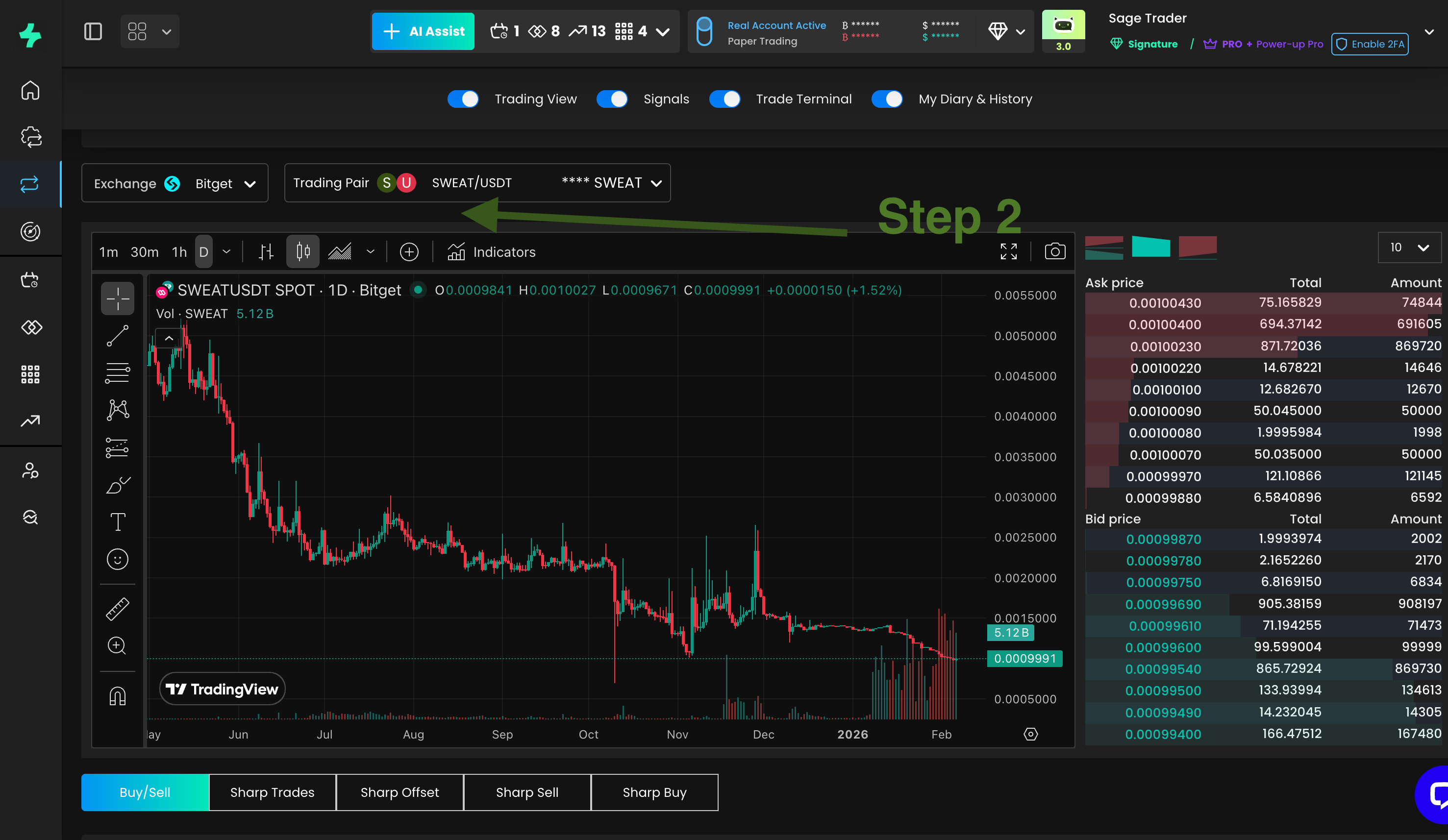
Open Sharp Sell
Enter the following values:
Average buy price (from your order history)
Total amount / units purchased
Take Profit (TP) variation
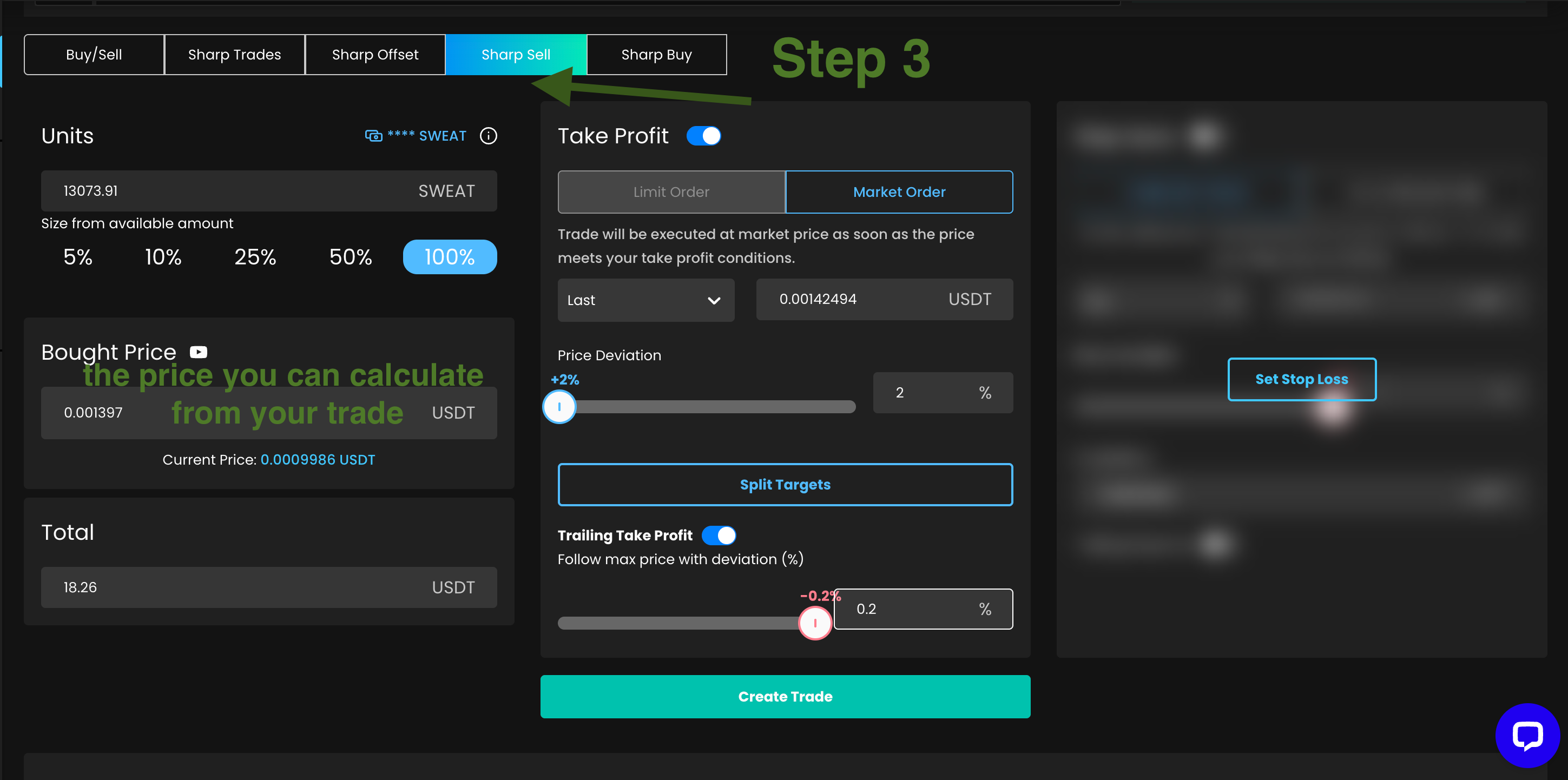
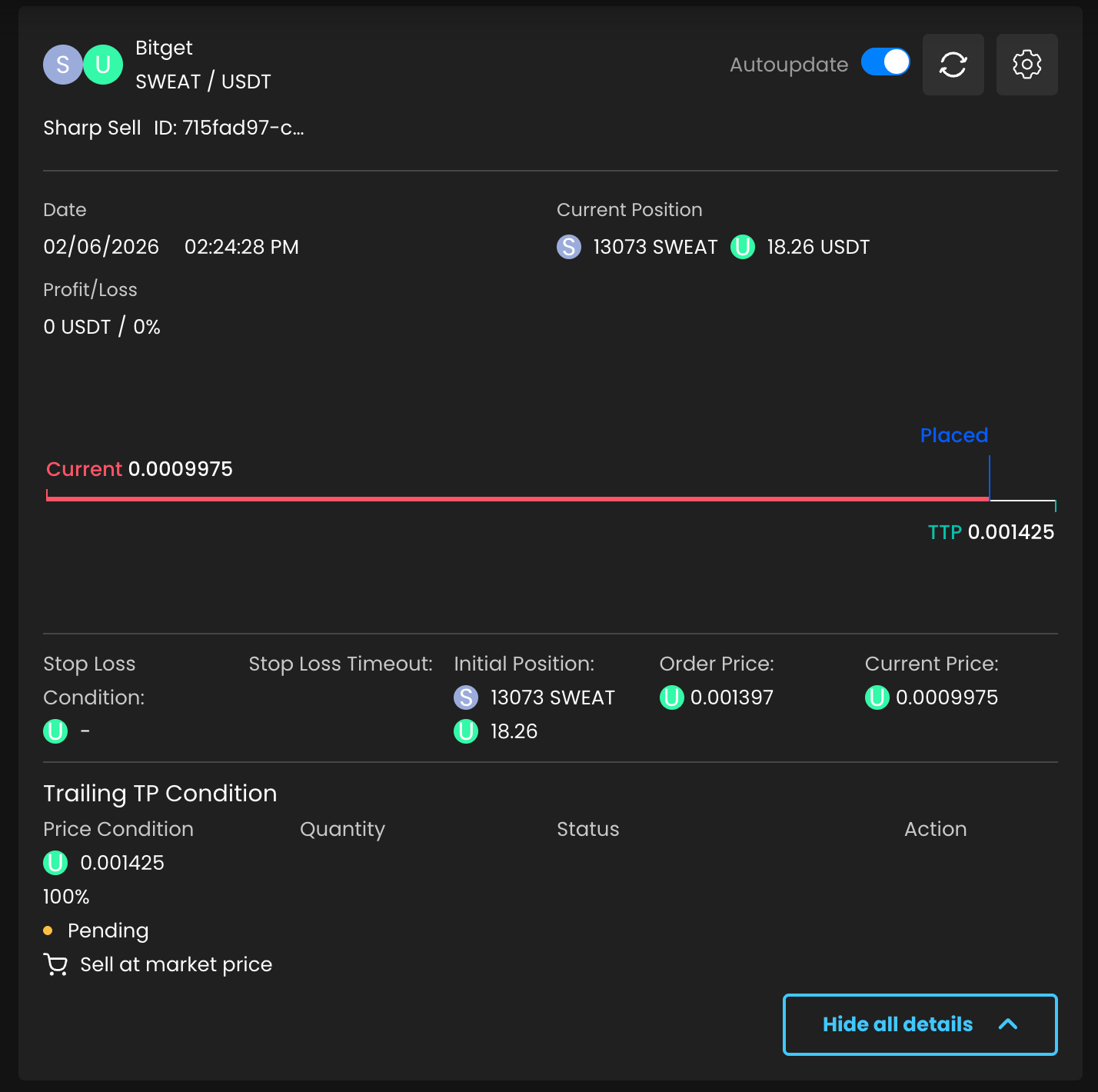
Place the order to resume tracking in SGM
ℹ️ The trade will now be tracked again in SGM based on the manually added values.
ℹ️ Final Notes
There are no platform-managed open trades
All orders exist only on the exchange
Manually managed or re-added orders are not affected by the resolved issue
New DCA Assists are not impacted