Notifications
Written By Ehsaan XP
Last updated 4 months ago
Introduction
SageMaster SFX offers a comprehensive notification system to keep you informed about your trading activities. This guide will walk you through setting up and customizing your email and Telegram notifications.
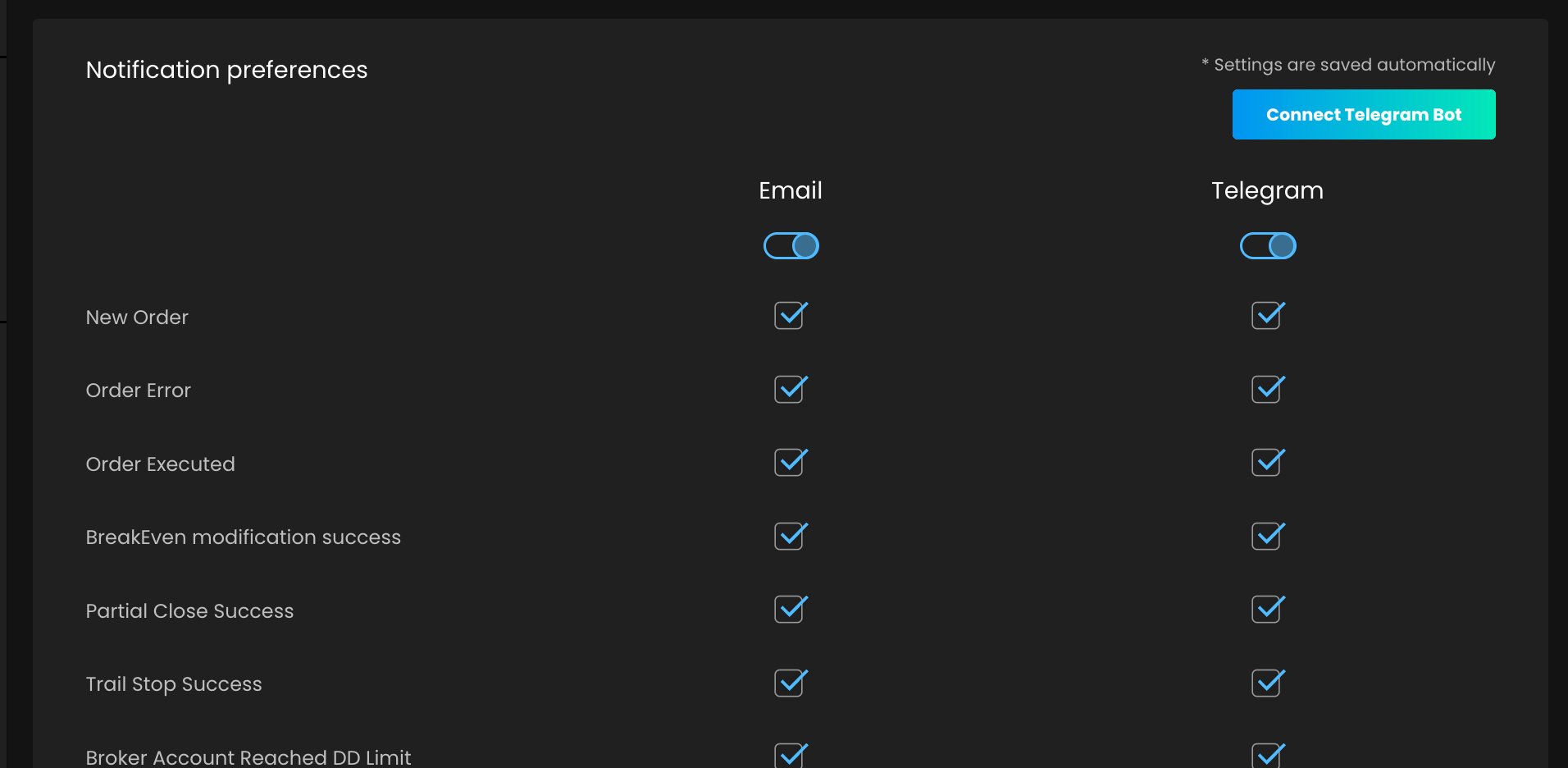
Setting Up Notifications
Email Notifications
Email notifications are enabled by default for most alerts. To configure your email preferences:
Navigate to the Settings page
Locate the Notification Preferences section
Use the checkboxes to enable or disable specific email notifications
Telegram Notifications
To set up Telegram notifications:
Go to the Settings page
Find the "Connect Telegram Bot" button and click it
A new tab will open with the Telegram bot link
Start the bot in Telegram to link your account
Once linked, you'll see your Telegram ID in the Notification Preferences section
Note: Telegram notifications are off by default. You'll need to enable them manually.
Available Notifications
New Order (enabled by default)
Order Error (enabled by default)
Order Routed (enabled by default)
BreakEven modification success
Partial Close Success
Trail Stop Success
Broker Account Reached DD Limit
Assist Reached DD Limit
Closed position by provider
Signal Ignored
Managing Notifications
To manage your notifications:
Regularly review and update your notification preferences to avoid alert fatigue
Consider enabling only the most critical notifications for Telegram to ensure you receive timely alerts
Use email notifications for less time-sensitive information
Removing Telegram Bot
If you wish to unlink your Telegram account:
Go to the Notification Preferences section
Click the "Remove Bot" button
Confirm the action in the pop-up dialog
You can also unlink your account directly from the Telegram bot.
Conclusion
By effectively using email and Telegram notifications, you can stay informed about your SFX trading activities in real-time. Customize your preferences to receive the most relevant information through your preferred channels.
Disclaimer: Trading involves significant financial risk and can result in substantial losses. Past performance does not guarantee future results. SageMaster does not provide financial advice. Users should ensure compliance with local regulations.