How To Connect OKX Exchange
Disclaimer: Trading involves significant financial risk and can result in substantial losses. Past performance does not guarantee future results. SageMaster does not provide financial advice. Users should ensure compliance with local regulations.
Written By Ehsaan XP
Last updated 7 months ago
Prerequisites
Before you begin, ensure that you have the following prerequisites:
You’ve got a SageMaster account
You have an OKX account
Connect Your Exchange
Creating a New API Key in OKX
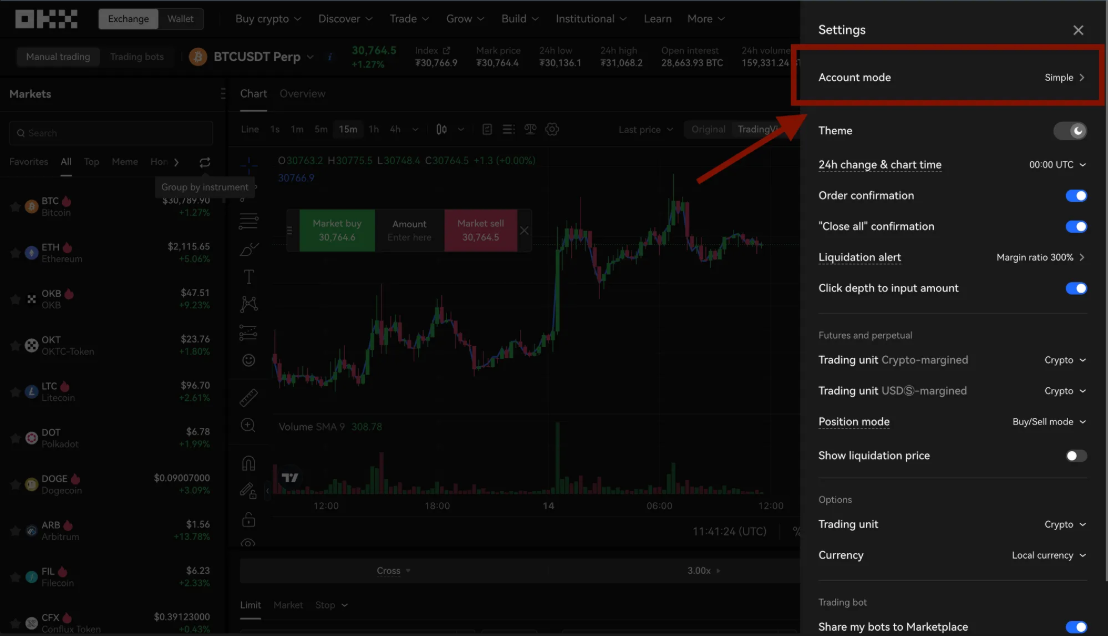
Sign in to your OKX account, go to settings and click on “Account Mode”.
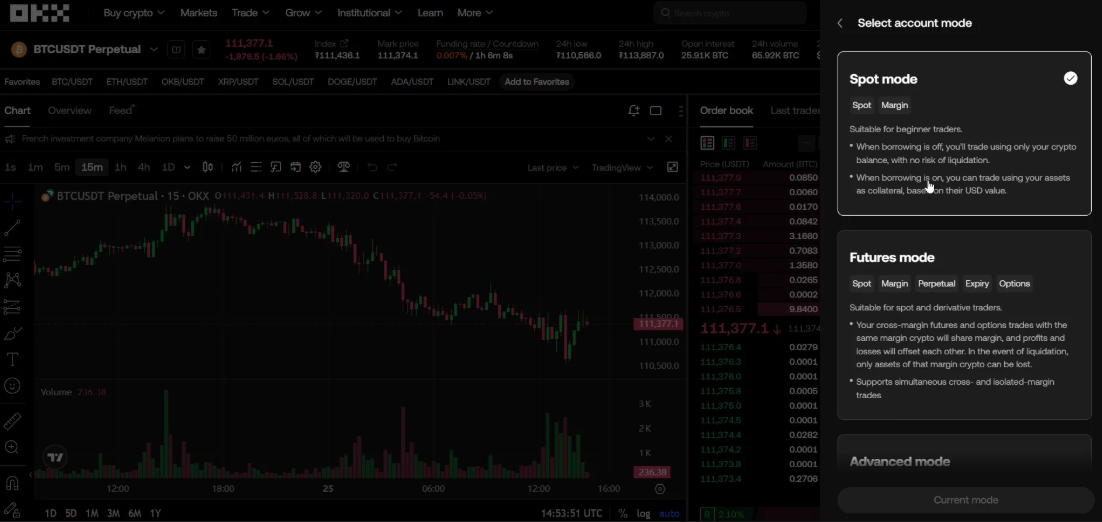
Select your Account Mode
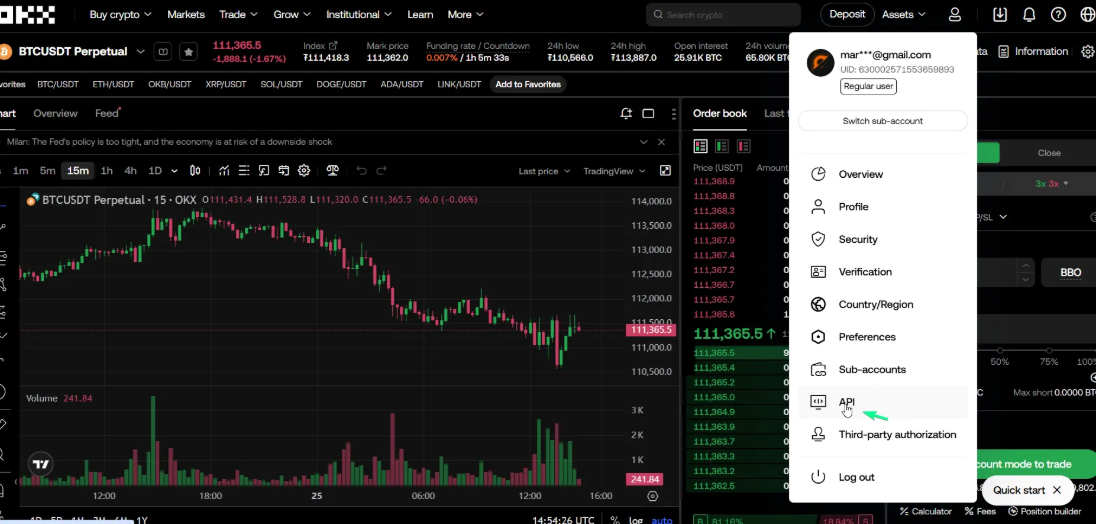
Now go to Manage Account. Click on “API”.
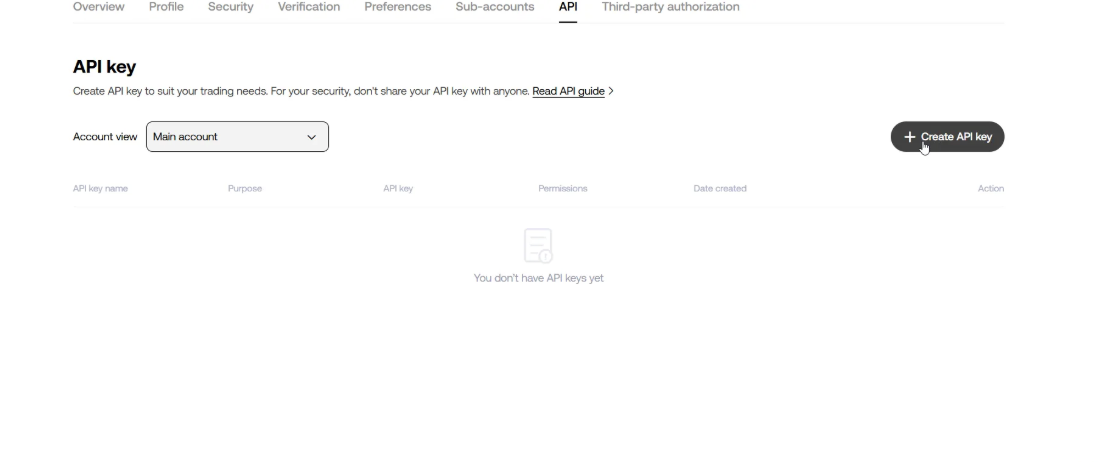
Click the “Create API Key” button.
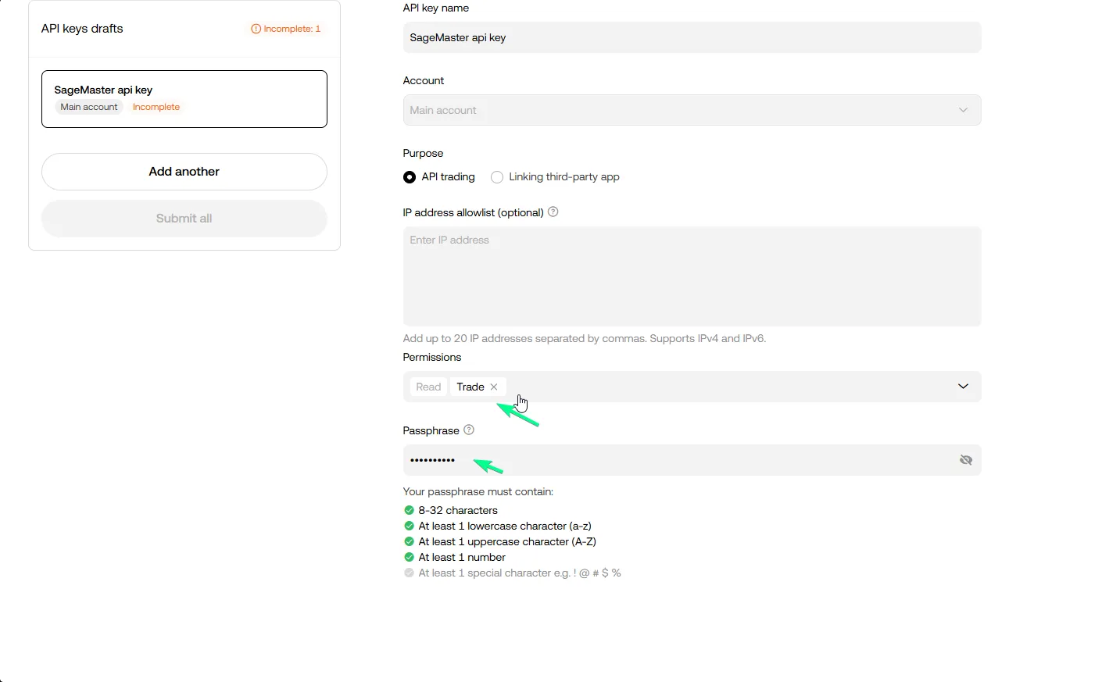
Give permissions to “API trading” as shown on the image.
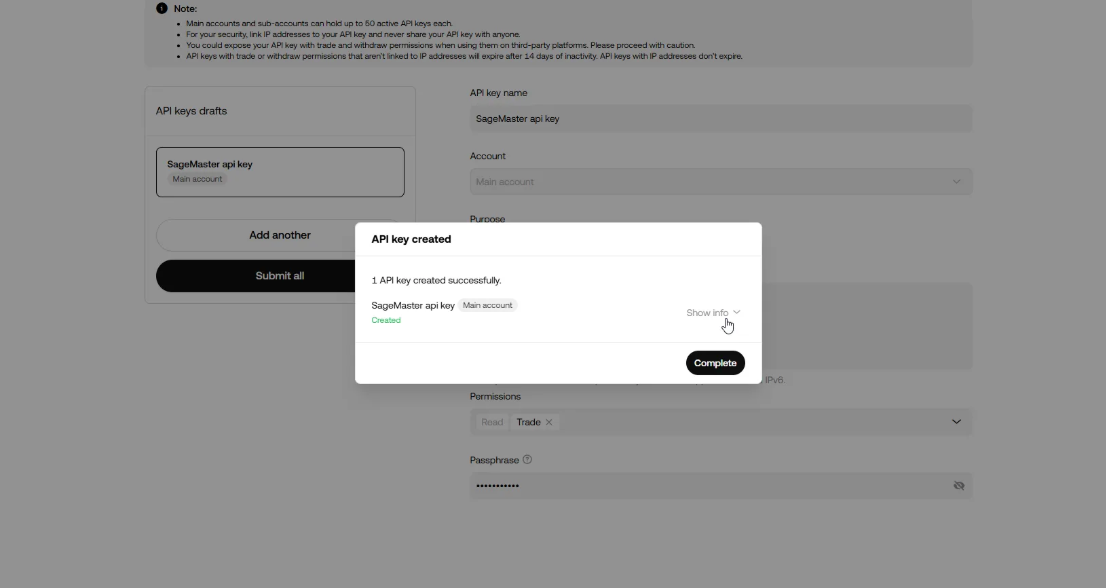
Enter a label for the API key. Example “SageMaster api key”.
Enter a Passphrase for this exchange. Copy the “Passphrase” and save.
Give Permission to “Trade” and click “Submit all”.
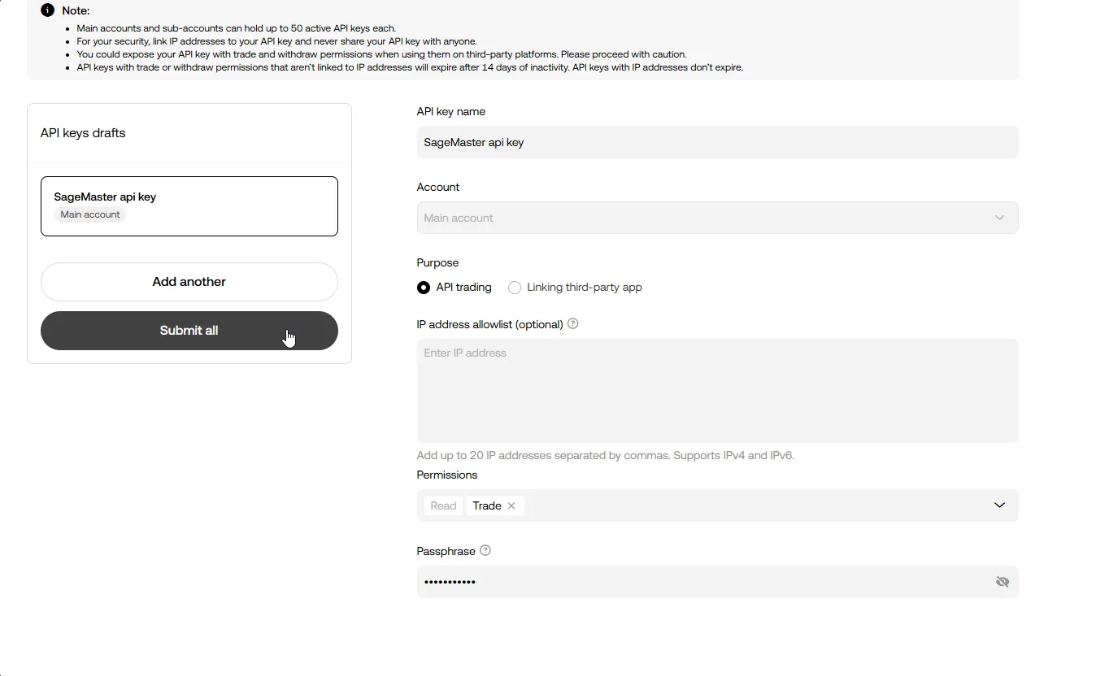
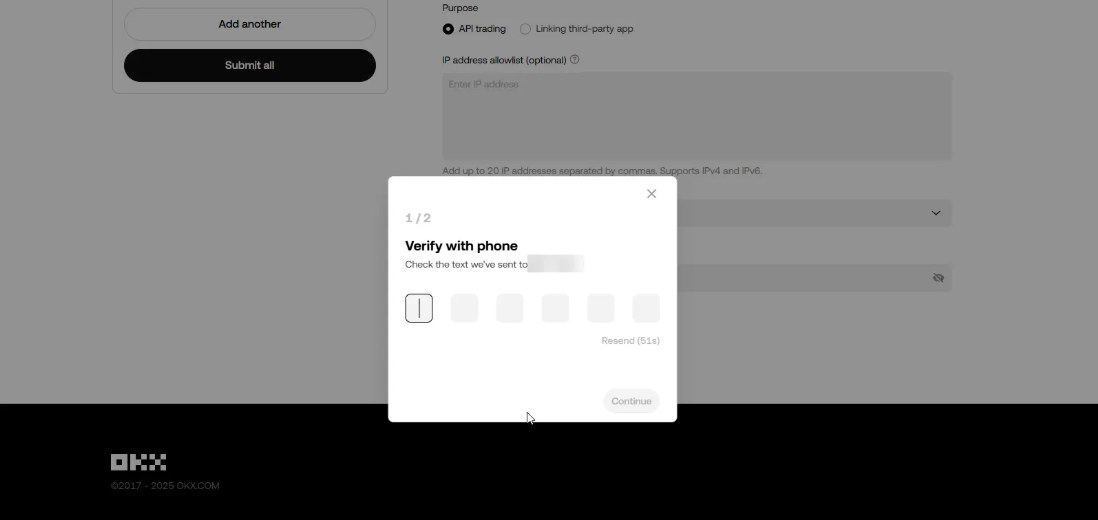
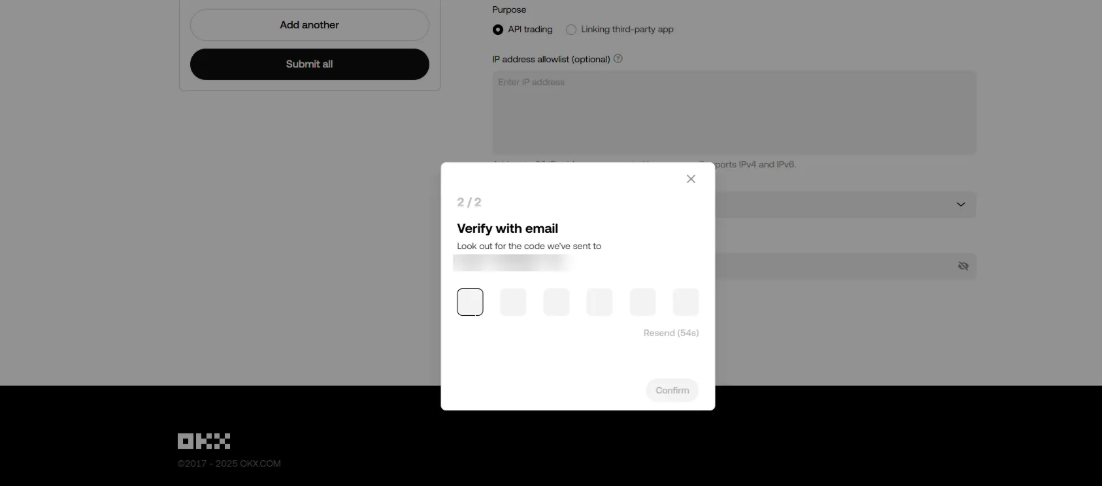
Confirm Two-factor Authentication.
Your new API key and secret will be displayed on the screen - you need to clicks “Show info” to see it. Now you can copy your API Key and Paste it to SageMaster.
Now go to your Sagemaster account and click “My Exchanges” in My settings section or in the Side menu
Select OKX Exchange and Enter a label of your choice for this exchange. Paste the API key, API Key secret and Passphrase.
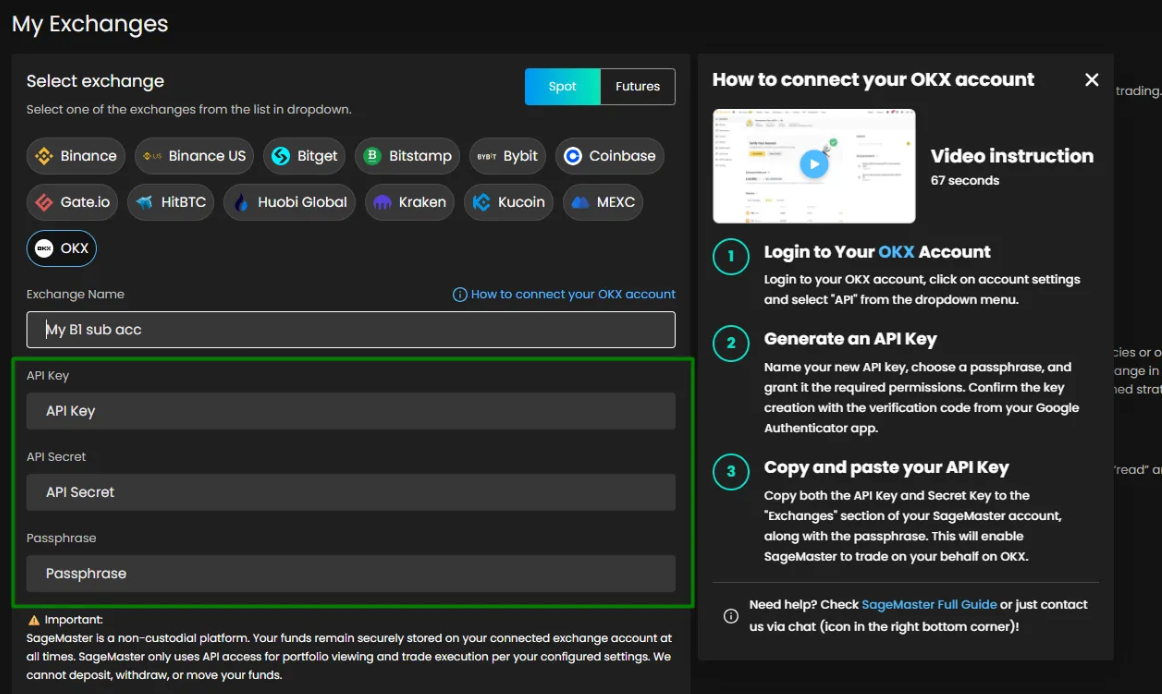
Click “Authorize API Connection” to finish connecting your Sagemaster account with OKX.
What’s Next?
After connecting your accounts, you should make sure that your OKX account is funded with the right currency.