How To Connect Huobi Exchange
Disclaimer: Trading involves significant financial risk and can result in substantial losses. Past performance does not guarantee future results. SageMaster does not provide financial advice. Users should ensure compliance with local regulations.
Written By Ehsaan XP
Last updated 7 months ago
Prerequisites
Before you begin, ensure that you have the following prerequisites:
You’ve got a SageMaster account
You have a Huobi account
Connect Your Exchange
Creating a New API Key in Huobi
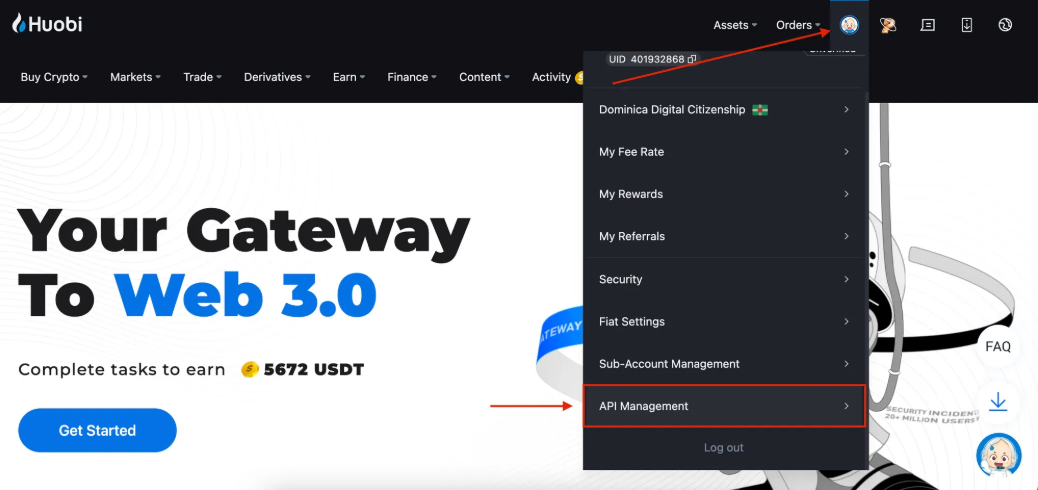
Log in to your Huobi account, hover over the profile icon at the top right corner, and select API Management. 1.
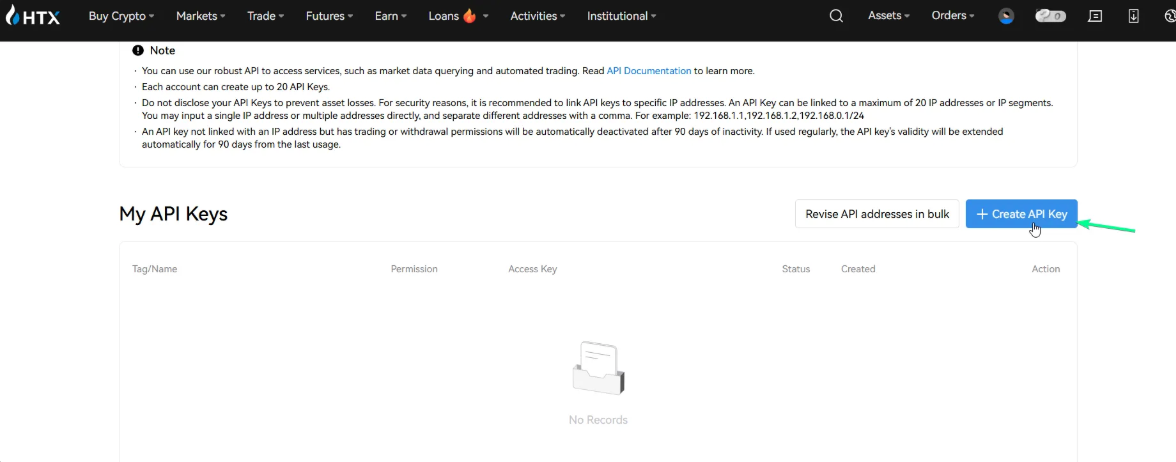
Click Create API Key
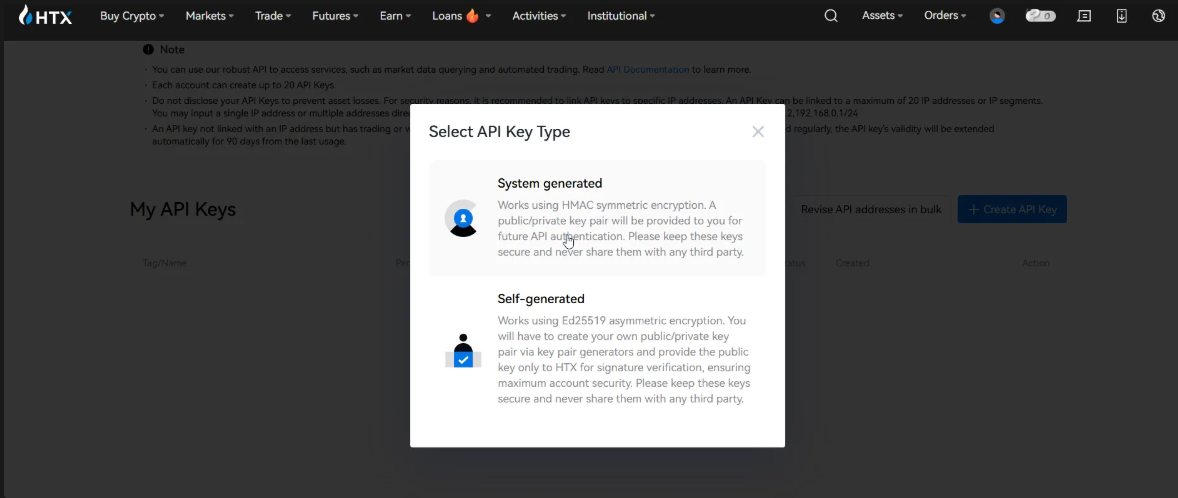
You will be prompted to select an API Key Type. Select the option that best suits your needs to proceed
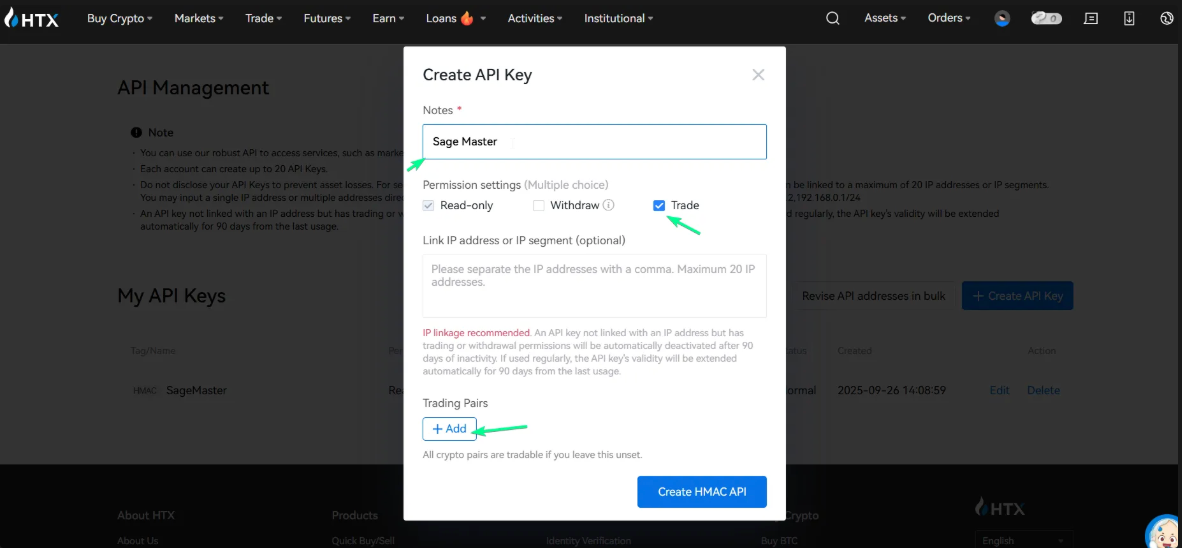
Enter a label for the API key. Example “SageMaster”
Enable Trade permission, add trading pairs that match your trading strategy best, and then click Create. Optionally, you can add trading pairs later if needed
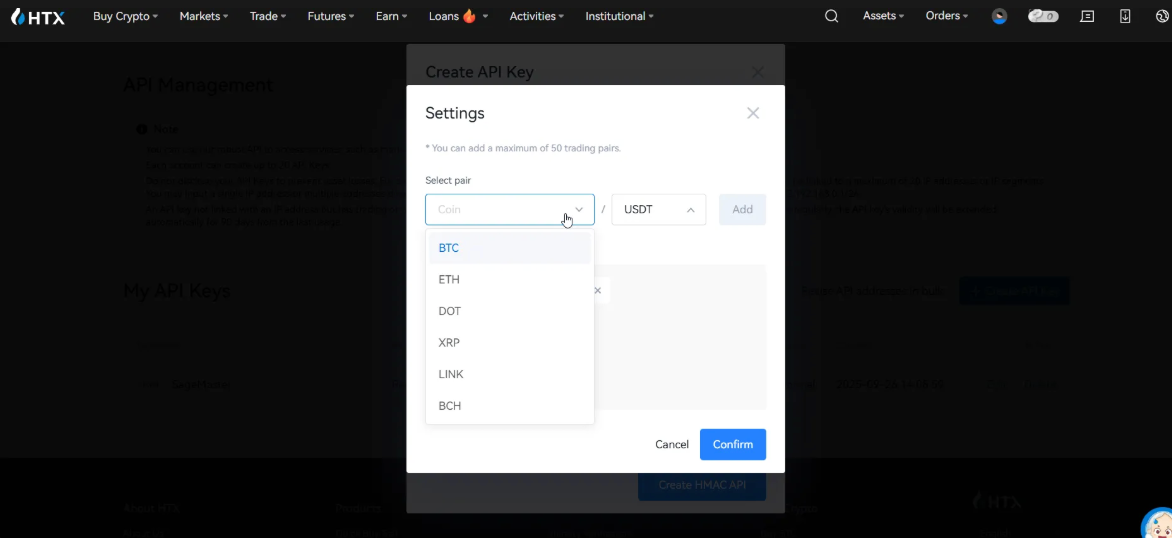
Read and accept risk reminders.
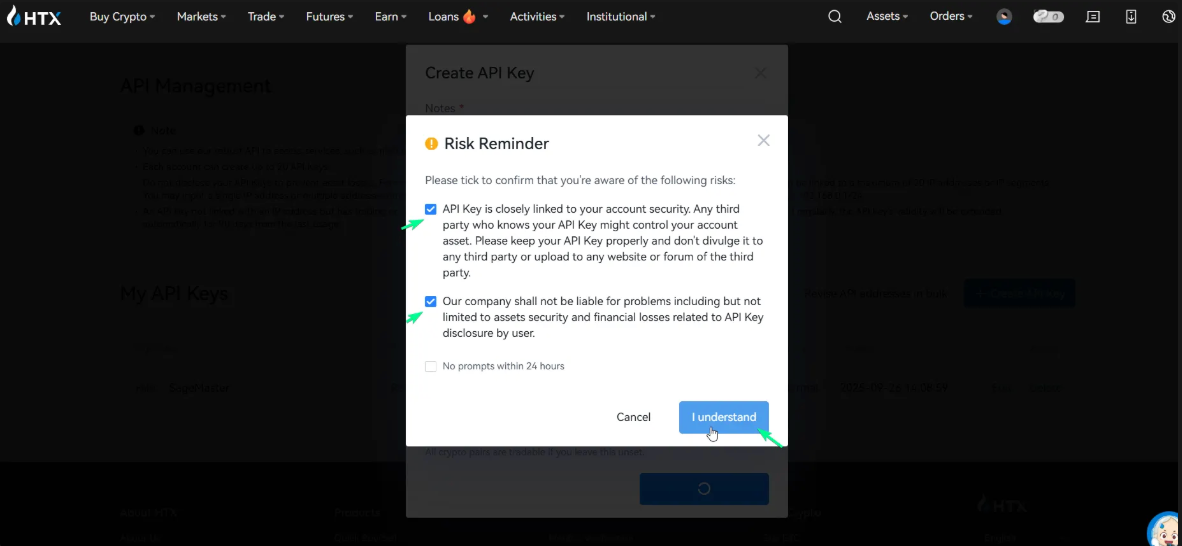
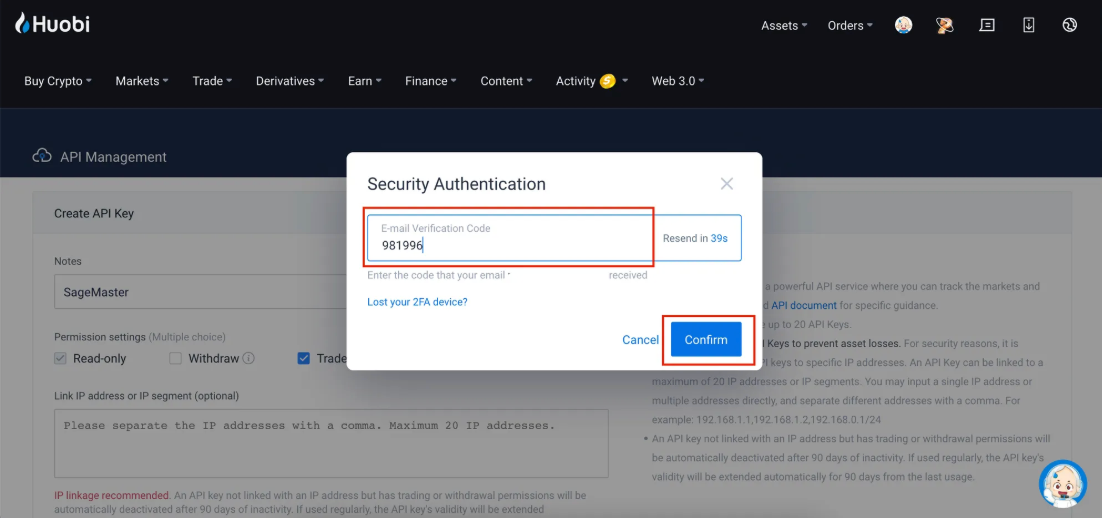
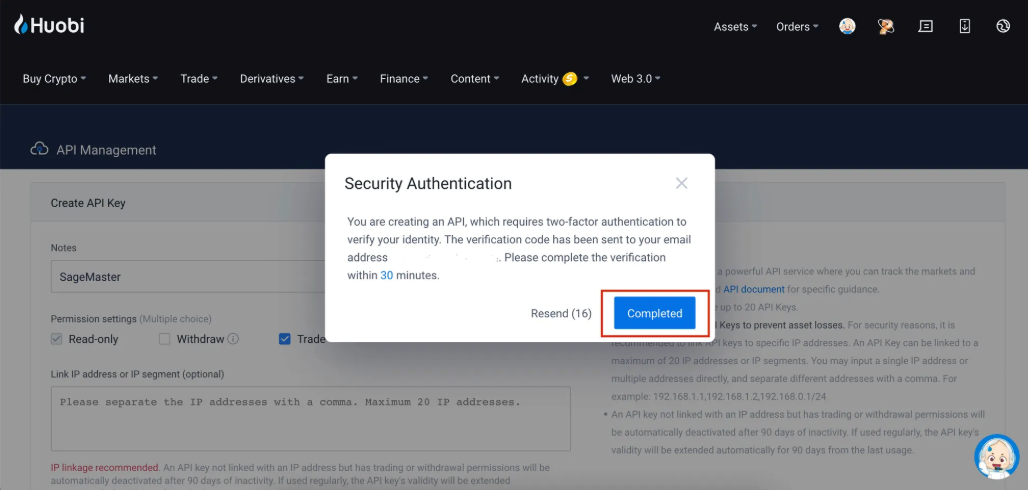
Click I understand, then enter your 2FA for verification and confirm the email code sent to you. If you've enabled a passkey, you will be prompted to verify with it
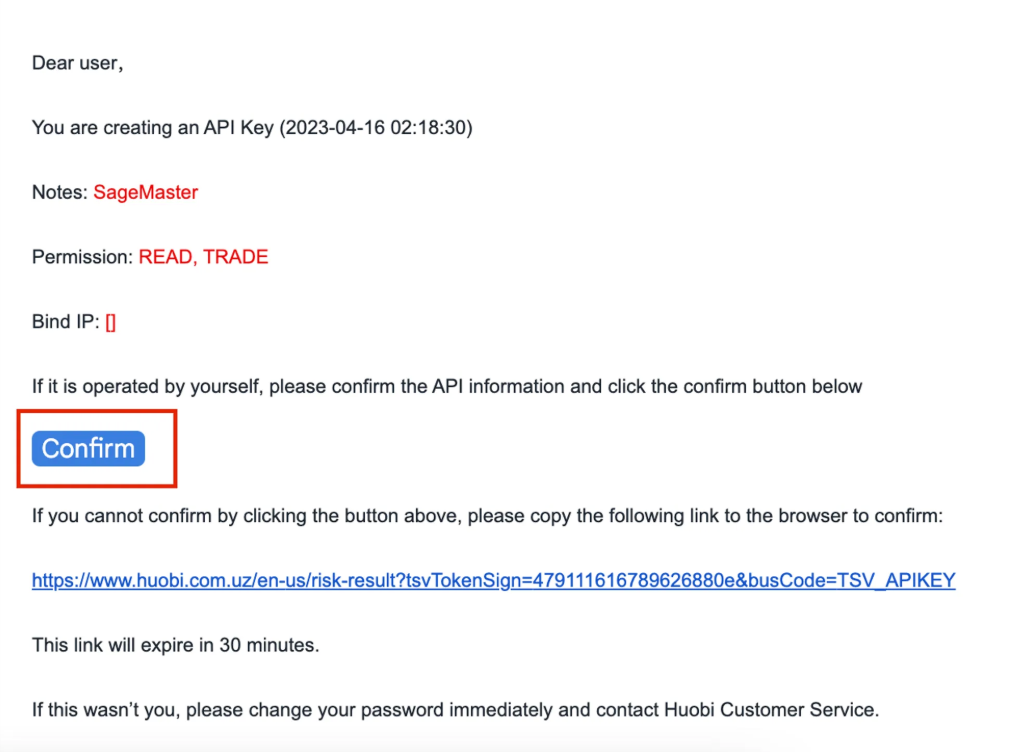
Open your email and confirm the API creation 1.
Click Completed on Huobi tab.
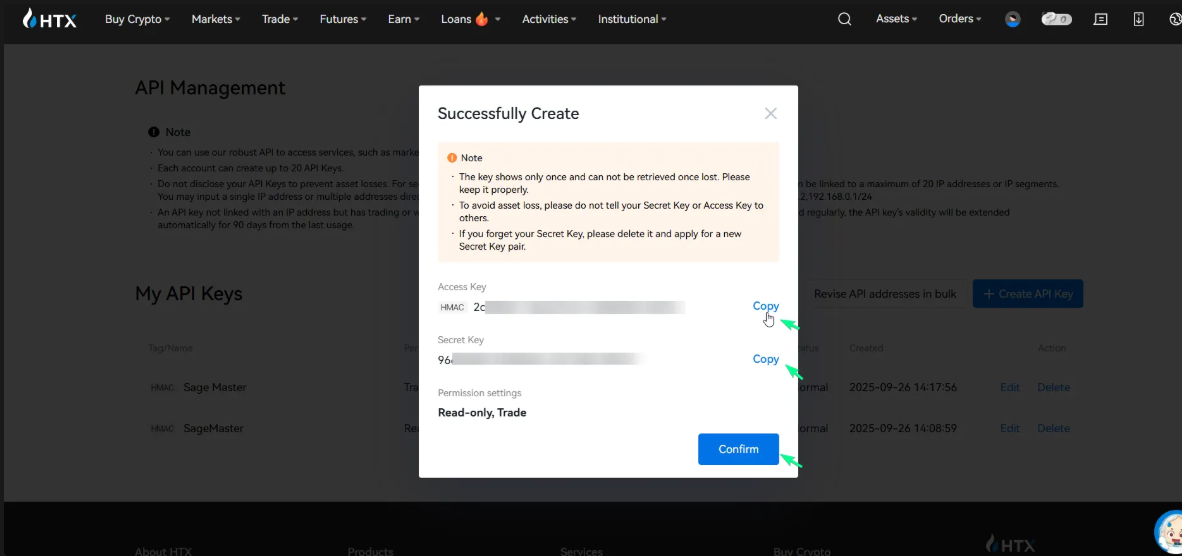
Your new API key and secret will be displayed on the screen. Copy and save your new API Key and Secret Key. Once they are saved, click Confirm
Now go to your Sagemaster account and click “My Exchanges” in My settings section or in the Side menu
Click the “Connect Exchange” button, select Spot tab, choose Huobi, and paste the API key and API Key secret
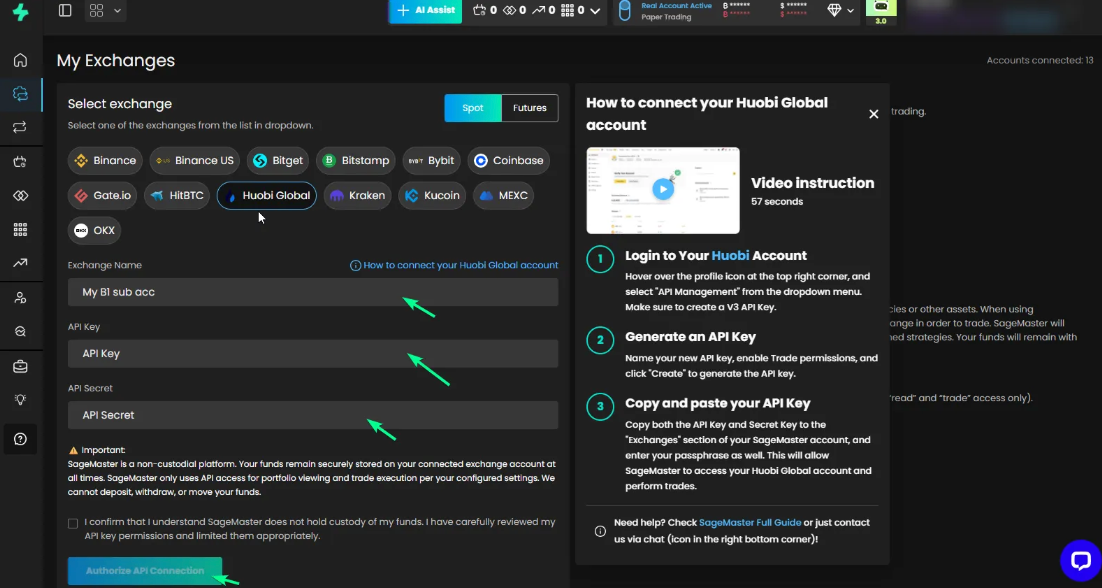
Click “Authorize API Connection” to finish connecting your Sagemaster account with Huobi.
What’s Next
After connecting your accounts, you should make sure that your Huobi account is funded with the right currency.